Get upto 60% Discount

Get upto 60% Discount
Unlimited Access:
$10.00 Original price was: $10.00.$2.99Current price is: $2.99.
Available Download Files

Tired of Restrictions?
Go Unlimited!
Join Our Membership to Download 8400+ Plugins & Themes

Most WooCommerce stores are designed for a single owner. The moment you introduce multiple sellers, you also introduce new requirements: vendor onboarding, commissions, seller dashboards, payout logic, per-vendor shipping rules, and moderation. Trying to bolt those onto a standard store usually leads to conflicting settings and unclear responsibilities.
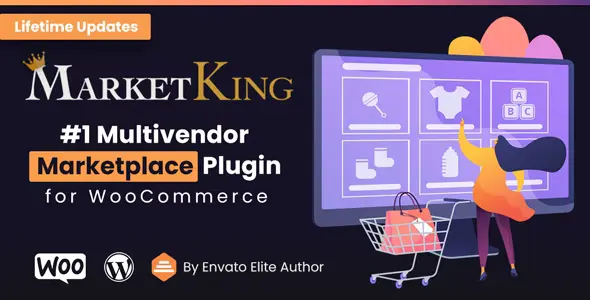
MarketKing Ultimate Multi Vendor Marketplace Plugin for WooCommerce is built specifically for that gap. It turns a regular WooCommerce install into a multi-vendor marketplace with vendor accounts, product management, order handling, and commission structures that match how marketplaces actually operate.
If you are here with download intent, plan your rollout first. A clean MarketKing Ultimate Multi Vendor Marketplace Plugin for WooCommerce download and a careful first-time setup can prevent weeks of vendor confusion later. In other words, treat the plugin as marketplace infrastructure, not a theme add-on.
The core value is simple: it makes “seller-owned catalog + marketplace-owned checkout” possible inside WooCommerce.
Vendors can manage products and orders from a seller-facing dashboard while you keep control over the marketplace rules. That separation is the difference between a store with a few contributors and a marketplace that can scale beyond a handful of sellers.
In practice, MarketKing is most useful when you need repeatable vendor operations. Onboarding should look the same for every seller. Commission calculations should be predictable. Support should be based on clear roles rather than ad hoc admin edits.
Multi-vendor setups fail less from missing features and more from messy expectations. Sellers expect autonomy. Marketplace owners expect consistency. Customers expect one checkout and one support experience.
Common friction points include vendors creating inconsistent product data, sellers misunderstanding shipping responsibility, and admins underestimating the time required to review new listings. MarketKing helps by centralizing vendor workflows, but you still need to define your rules early.
Another frequent issue is commission ambiguity. If you cannot explain commissions in one paragraph, vendors will open tickets. A plugin can calculate commissions, but it cannot fix unclear policies. Decide your commission model first, then configure it.
Marketplaces feel easy at 3 vendors and chaotic at 30. The difference is not traffic. It is operational volume.
As vendor count grows, your bottleneck becomes moderation and consistency. You will want standardized product requirements (images, attributes, shipping classes) and a predictable review process. MarketKing’s vendor separation makes it easier to enforce those standards because sellers work within a defined dashboard rather than the full WordPress admin.
Scaling also changes how you think about support. Instead of “fix this product,” you start answering “how should vendors do this every time?” MarketKing works best when you document vendor rules and align the plugin settings to those rules.
WooCommerce alone can handle multiple staff users, but it does not provide a vendor model. You can create user roles and let people edit products, yet you are still managing permissions, dashboards, and accountability manually.
MarketKing is a better fit when you need vendor-specific capabilities, commission logic, and a vendor experience that does not look like wp-admin. It reduces the need for custom role editing, separate commission calculators, and improvised seller dashboards.
That said, if your “vendors” are really internal departments or a small team you fully control, a simpler setup may be enough. MarketKing is most justified when sellers are semi-independent and you need guardrails.
Use this checklist to keep your installation predictable and avoid conflicts during the first configuration.
Clone your live store to staging if possible. Vendor plugins change roles, capabilities, and storefront behavior. Testing on staging prevents accidental exposure of vendor menus or commission settings to customers.
Make sure WooCommerce is installed, payments are configured, and a basic product checkout works. Multi-vendor layers should come after your store foundation is stable.
Complete your MarketKing Ultimate Multi Vendor Marketplace Plugin for WooCommerce download from a trusted source, then go to WordPress Admin > Plugins > Add New > Upload Plugin. Upload the ZIP, install, and activate.
After activation, review marketplace settings in a quiet environment. Focus on vendor registration, vendor capabilities, commission rules, and any default statuses for new products. The defaults you choose here will shape every vendor’s experience.
Register as a vendor, submit a product, place a test order, and review how order management looks from the vendor side. This is where you catch “who is responsible for shipping” mismatches early.
Decide whether new products require approval, what fields are mandatory, and what categories vendors can use. Marketplaces that skip guardrails end up with inconsistent catalogs and poor filtering.
A frequent early mistake is letting vendors create categories freely. It sounds flexible, but it quickly produces duplicates like “T-shirt,” “Tshirts,” and “Tees.” Your navigation and filters suffer, and customers cannot find products reliably.
Another issue is inconsistent attributes. If one vendor uses “Color: Black” and another uses “Colour: black,” your variations and layered navigation become fractured. Set attribute standards and, when possible, limit what vendors can create from scratch.
Finally, do not underestimate product image requirements. Marketplaces look untrustworthy when every listing uses different aspect ratios and backgrounds. Create vendor guidelines and enforce them through review or required fields.
If you only want to accept a few guest products occasionally, or you are managing inventory for a single brand with multiple editors, a vendor marketplace plugin can add unnecessary complexity.
MarketKing is most valuable when vendors are responsible for their own product maintenance and order management, and you want to manage the marketplace rules rather than hand-holding every listing.
Start with strict category and attribute standards. Limit vendor-created taxonomy where possible, require specific product fields, and use a review step for new listings until vendors prove they can follow your rules.
Yes. Use a staging site and a test payment method where possible. Create a test vendor, place a test order, and verify commission calculations and order ownership from both admin and vendor views.
Keep it short: registration, profile completion, first product submission, and a checklist of requirements. Most onboarding friction comes from unclear product standards, not from the registration form itself.
This is usually role/capability configuration or product status rules. If new products default to “pending review,” vendors may think the product is missing. Similarly, order visibility can depend on how the plugin assigns ownership. Test the workflow with a real vendor account.
Not necessarily. MarketKing focuses on marketplace vendor operations. If you need gated content, tiered subscriptions, or complex access rules beyond vendor capabilities, you may still want a dedicated membership solution.
Before inviting vendors, lock down categories, define commission rules, decide on product approval requirements, and run a complete test order. Those steps prevent most early marketplace support issues.
If you are ready to proceed, complete your MarketKing Ultimate Multi Vendor Marketplace Plugin for WooCommerce download, install it on staging first, and validate the vendor journey end to end.
A second MarketKing Ultimate Multi Vendor Marketplace Plugin for WooCommerce download is not what fixes problems later. Clear vendor rules, consistent catalog standards, and tested commission logic do.
Once you confirm the workflow, move the same configuration to production and only then invite your first vendors. For teams managing multiple environments, keep a copy of your MarketKing Ultimate Multi Vendor Marketplace Plugin for WooCommerce download available for controlled deployments and updates.
When your marketplace grows, revisit settings quarterly. The same MarketKing Ultimate Multi Vendor Marketplace Plugin for WooCommerce download that powers your initial launch can support expansion, but only if your operational policies evolve with vendor volume.
If your next step is implementation, treat the MarketKing Ultimate Multi Vendor Marketplace Plugin for WooCommerce download as the beginning of setup, not the finish line. The real win is a marketplace where vendors can self-serve and customers still experience a coherent store.
For Installation or Technical Related Queries check FAQ Page
Our Website also have older version of the plugins and theme. So you can test your website with compatible plugins or Rollback plugins in case of any bug or compatibility issues.
UNZIP the file downloaded from our website, the zip file might contain other files like Template, Docs etc. So make sure you upload correct file.
To Install Plugins:
To Install Themes:
Sometimes theme/plugin might ask you for license, just ignore. Because we have already activated the product with out legal key, which we have purchased for you.
When a New version appears and is available on our website you’ll find it in My Account “Downloads section”.
For Destination Already Exists error:
Make sure to Delete the version of theme/plugin that you have on your website before you upload our premium version, it might cause a conflict during installation and activation.
Or WordPress will say “destination already exists” when trying to upgrade using a zip file and will fail to upgrade the theme or plugin.
If you faced “destination already exists” error installing this Plugin will solve the issue – Easy Theme and Plugin Upgrades.
Our business hours are Monday to Saturday from 10:00 am to 8:00 pm, any request made outside these hours will be answered until next business day. Support and Updates can take 24 to 48 hours. Support provided is for product installation. Please be aware of possible time zone differences when waiting for our reply.
If you have any Queries, Feel Free to Contact Us:
Abuse Warning:
For more information please read FAQs & Terms of Use.