Get upto 60% Discount

Get upto 60% Discount
Unlimited Access:
$10.00 Original price was: $10.00.$4.99Current price is: $4.99.
Tired of Restrictions?
Go Unlimited!
Join Our Membership to Download 8400+ Plugins & Themes

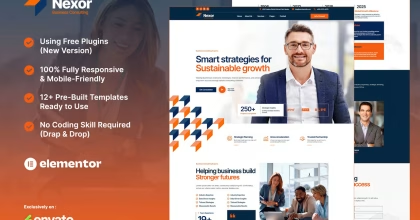
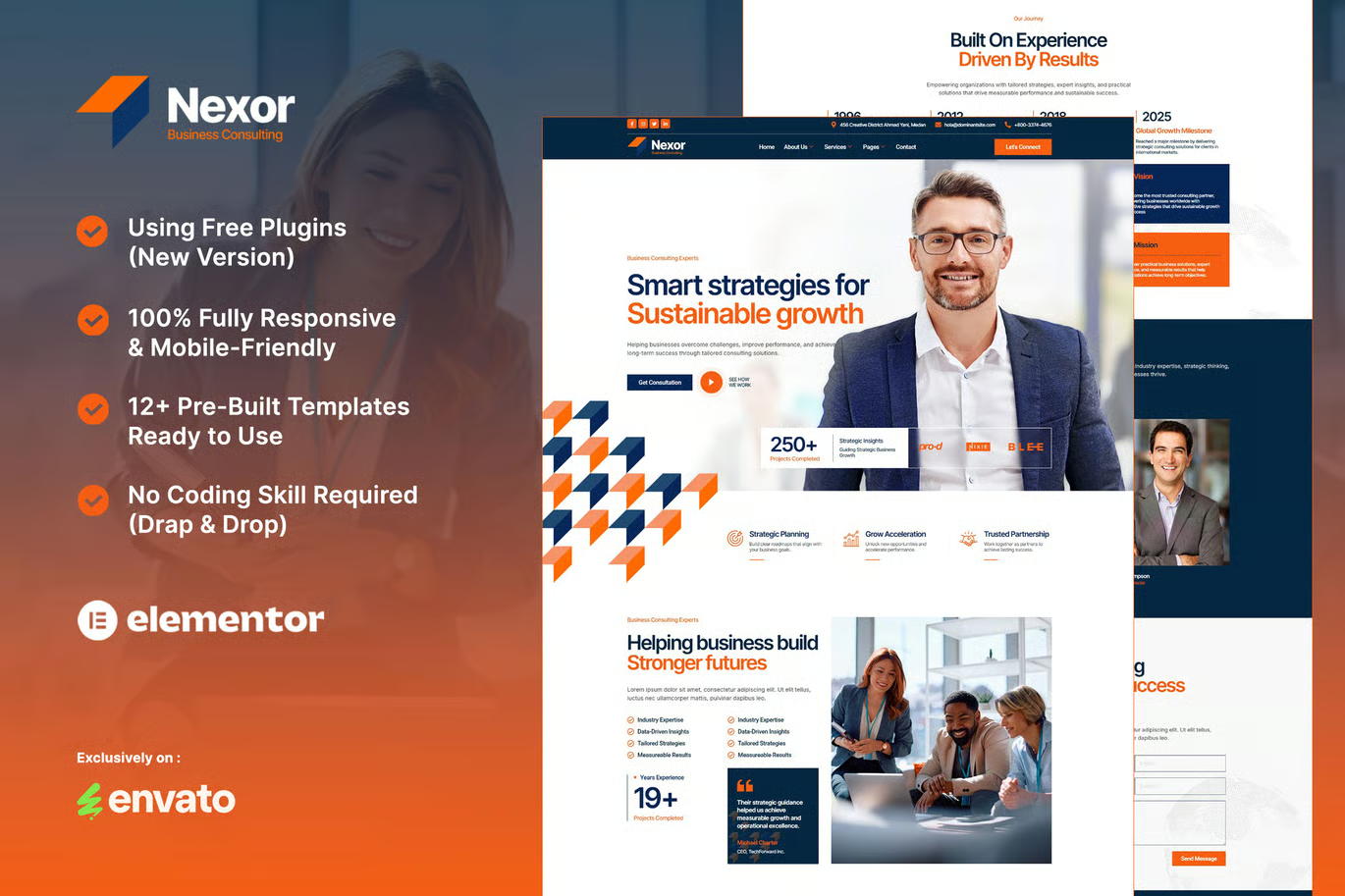
Nexor Business Consulting Elementor Template Kit is a collection of editable WordPress website layouts for firms that sell expertise rather than physical products. It gives consultants a structured way to introduce their services, explain their track record, highlight specialists, and guide prospective clients toward an enquiry. With Elementor, you can build a polished consulting website by editing the included designs instead of coding each page yourself.
The creator lists the following Elementor templates in the Nexor package:
Nexor can be customized for business consulting agencies, management consultants, financial advisory firms, corporate strategy practices, startup advisors, marketing consultants, and other professional service providers. An independent advisor could use the team and service pages to build a compact portfolio site. A growing consultancy could use the case study, pricing, and history layouts to explain a broader set of services and credentials.
For regulated services such as financial or investment advice, replace every placeholder with accurate qualifications, required disclosures, and service information appropriate to your jurisdiction.
Begin by rewriting the Home page around one specific audience and one primary service outcome. On each Service Details page, explain the problem you help solve, who the service is for, how an engagement works, and what a visitor should do next. The Case Studies layout is particularly valuable when filled with genuine examples, clear context, and outcomes you have permission to share.
Use the History and Our Team pages to establish who is responsible for the work. Add verified credentials, experience, and biographies instead of generic claims. Place a relevant contact action near the end of service and case-study pages, then configure MetForm notifications so enquiries reach your team. A CRM, appointment scheduler, or payment system is not included merely because the page designs contain calls to action; connect those services separately where needed.
The kit gives you a layout foundation, but search visibility depends on the finished site’s content and technical setup. Write original service descriptions targeting real client questions, add descriptive page titles and internal links, compress your own images, and review mobile usability. Publish genuinely useful consulting articles and add authentic testimonials only with consent. Check indexing and performance after launch rather than assuming the template alone guarantees rankings or page speed.
Nexor is an Elementor Template Kit, not a complete WordPress theme. It provides designs and sample content, not a working client management platform. Import the required addons and configure any form templates. The creator also notes that example images sourced from Envato Elements may need separate licensing for use on your published website; you can replace them with assets you own or are authorized to use.
Is Nexor suitable for a financial consulting website?
Yes, its layouts can be adapted for financial or business advisory firms. Your actual financial information, disclosures, and claims must be accurate.
Is Nexor a WordPress theme or an Elementor kit?
It is an Elementor template kit. You install a WordPress theme separately and import the kit’s page designs.
Do I need to know HTML or CSS?
Most layout and content changes can be made visually with Elementor. Advanced custom behavior may require additional tools or development.
Are case studies and testimonials included?
Dedicated page designs are included. You must supply your own genuine cases, permissioned testimonials, and business details.
Does Nexor include a contact form?
It includes a contact MetForm template. You need to configure the form, notifications, and any integrations before accepting live enquiries.
Can I change Nexor’s colors and fonts?
Yes. Its Elementor layouts are customizable, including brand styling and page content.
Will Nexor automatically improve Google rankings?
No template guarantees rankings. Helpful content, performance, proper indexing, relevant links, and a strong user experience still matter.
Use Nexor as a starting point for a business advisory website that communicates services, builds trust through real examples, and makes it straightforward to get in touch. Download the kit from this product page when available, import the layouts into Elementor, and tailor the design and messaging to the clients your consulting business actually serves.
For Installation or Technical Related Queries check FAQ Page
Our Website also have older version of the plugins and theme. So you can test your website with compatible plugins or Rollback plugins in case of any bug or compatibility issues.
UNZIP the file downloaded from our website, the zip file might contain other files like Template, Docs etc. So make sure you upload correct file.
To Install Plugins:
To Install Themes:
Sometimes theme/plugin might ask you for license, just ignore. Because we have already activated the product with out legal key, which we have purchased for you.
When a New version appears and is available on our website you’ll find it in My Account “Downloads section”.
For Destination Already Exists error:
Make sure to Delete the version of theme/plugin that you have on your website before you upload our premium version, it might cause a conflict during installation and activation.
Or WordPress will say “destination already exists” when trying to upgrade using a zip file and will fail to upgrade the theme or plugin.
If you faced “destination already exists” error installing this Plugin will solve the issue – Easy Theme and Plugin Upgrades.
Our business hours are Monday to Saturday from 10:00 am to 8:00 pm, any request made outside these hours will be answered until next business day. Support and Updates can take 24 to 48 hours. Support provided is for product installation. Please be aware of possible time zone differences when waiting for our reply.
If you have any Queries, Feel Free to Contact Us:
Abuse Warning:
For more information please read FAQs & Terms of Use.