Get upto 60% Discount

Get upto 60% Discount
Unlimited Access:
$10.00 Original price was: $10.00.$2.99Current price is: $2.99.

Tired of Restrictions?
Go Unlimited!
Join Our Membership to Download 8400+ Plugins & Themes

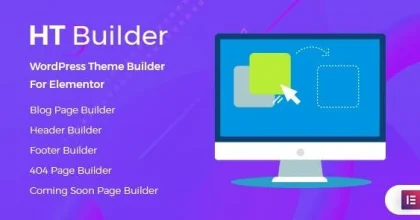
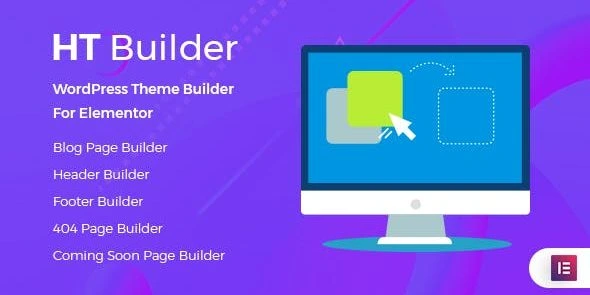
HT Builder Pro is a WordPress plugin designed for Elementor users who want to take charge of their theme templates. You don’t have to stick with whatever your active theme gives you. Instead, you can design and customize everything like blog pages, single posts, headers, footers, archives, search results, 404 pages, or even coming-soon pages with an easy drag-and-drop interface.
Just to be clear, if you’re searching for an HT Builder Pro download, remember it’s a plugin, not a standalone theme. What it really does is boost Elementor, adding more tools for shaping your site’s structure. The official description makes it simple: drag-and-drop theme builder, fully compatible with Elementor and Elementor Pro. The Pro version gives you 20 extra Elementor elements and dedicated builders for the main WordPress template areas, so you can always tweak things exactly how you want.
HT Builder Pro packs a solid set of tools for anyone building with Elementor. You get 20 extra elements right out of the gate. They slot right into your Elementor layouts, giving you building blocks way beyond what the average theme offers.
This setup is perfect if you’re after a unified look across everything, instead of piecing things together in dozens of different places.
If your WordPress site is heavy on content—think magazines, blogs, agencies—HT Builder Pro is especially handy. You have detailed builders for everything: the main blog page, individual posts, search results, category archives, tag archives…and of course, headers and footers.
Let’s say your “Announcements” category needs a layout that’s totally different from your blog’s “Case Studies” category. Done. Or, if you want all single posts to share the same reading experience, it’s easy to set up.
Before you grab HT Builder Pro, make sure your site has WordPress and Elementor running—those are required. Here’s how you get going:
– Download the HT Builder Pro ZIP file.
– Log in to your WordPress dashboard.
– Go to Plugins → Add New Plugin.
– Hit Upload Plugin, choose your ZIP file, and upload.
– Click Install, then Activate.
– Open the HT Builder settings, start building your headers, footers, blog layouts, archives, search, 404 pages, or coming soon sections straight from Elementor.
If you want, you can install it manually: unzip the package, upload the ht-builder plugin folder to /wp-content/plugins/, and activate it from the WordPress Plugins menu.
This plugin is really meant for Elementor users who want more freedom over repeating WordPress layouts. If you’re running a blog, online magazine, agency site, portfolio, or any content-heavy site, and you feel boxed in by your current theme’s templates, HT Builder Pro gives you a way out. Think of it as an add-on for more visual control, not a full website theme on its own.
HT Builder Pro is a plugin. It extends Elementor’s abilities and lets you create theme-level templates—headers, footers, blog layouts, search, 404 pages, coming soon pages, and more.
Absolutely. It’s built specifically for Elementor, and it supports both the free and Pro versions.
Yes. Both Header Builder and Footer Builder let you build completely custom layouts in Elementor. You’re not stuck with what your theme gives you.
You can do that, too. Just create different templates for each blog category archive or tag archive—super useful if you want each content type to stand out.
Yes. You get a dedicated 404 Error Page Builder to design your own “page not found” layout in Elementor.
Yes, there’s an online template importer that lets you bring templates straight into your Elementor workspace.
Definitely. You can make one layout for the main blog listing, and a separate template for individual posts.
Yes, that’s exactly who it’s meant for. If you’re using Elementor for design, HT Builder Pro just takes the visual editing power to more parts of your website so you aren’t limited by your current theme.
For Installation or Technical Related Queries check FAQ Page
Our Website also have older version of the plugins and theme. So you can test your website with compatible plugins or Rollback plugins in case of any bug or compatibility issues.
UNZIP the file downloaded from our website, the zip file might contain other files like Template, Docs etc. So make sure you upload correct file.
To Install Plugins:
To Install Themes:
Sometimes theme/plugin might ask you for license, just ignore. Because we have already activated the product with out legal key, which we have purchased for you.
When a New version appears and is available on our website you’ll find it in My Account “Downloads section”.
For Destination Already Exists error:
Make sure to Delete the version of theme/plugin that you have on your website before you upload our premium version, it might cause a conflict during installation and activation.
Or WordPress will say “destination already exists” when trying to upgrade using a zip file and will fail to upgrade the theme or plugin.
If you faced “destination already exists” error installing this Plugin will solve the issue – Easy Theme and Plugin Upgrades.
Our business hours are Monday to Saturday from 10:00 am to 8:00 pm, any request made outside these hours will be answered until next business day. Support and Updates can take 24 to 48 hours. Support provided is for product installation. Please be aware of possible time zone differences when waiting for our reply.
If you have any Queries, Feel Free to Contact Us:
Abuse Warning:
For more information please read FAQs & Terms of Use.