Exclusive Sale! Grab Flat 10% OFF* | On All Products

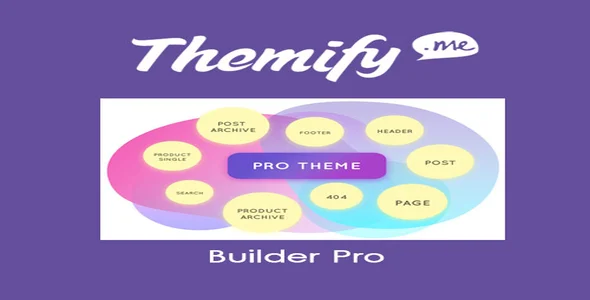
Themify Builder Pro

  Unlimited Access:

Unlimited Access
Save 28%

Original price was: $10.00.Current price is: $2.99.

Or
  • Lifetime Updates
  • Unlimited Domain Usage
  • 100% Safe & Easy to Activate
  • Verified by Norton Secure
  • Instant Download After Purchase

Available Files

Latest: 3.9.3 Purchase or join a membership to download 3.9.2 Purchase or join a membership to download 3.9.1 Purchase or join a membership to download

Already bought it? Open your downloads · See membership plans

Available Themify Add-ons & Plugins

Themify Announcement Bar
Addon
Original price was: $10.00.Current price is: $2.99. 70% off

Themify Announcement Bar

Version 2.2.8
View
Themify Audio Dock
Addon
Original price was: $10.00.Current price is: $2.99. 70% off

Themify Audio Dock

Version 2.0.6
View
Themify Builder
Addon
Original price was: $10.00.Current price is: $2.99. 70% off

Themify Builder

Version 7.8.5
View
Themify Builder AB Image
Addon
Original price was: $10.00.Current price is: $2.99. 70% off

Themify Builder AB Image

Version 3.5.5
View
Themify Builder Audio
Addon
Original price was: $10.00.Current price is: $2.99. 70% off

Themify Builder Audio

Version 3.5.6
View
Themify Builder Bar Chart
Addon
Original price was: $10.00.Current price is: $2.99. 70% off

Themify Builder Bar Chart

Version 3.0.1
View
Themify Builder BG Video Slider
Addon
Original price was: $10.00.Current price is: $2.99. 70% off

Themify Builder BG Video Slider

Version 3.5.4
View
Themify Builder Button Pro
Addon
Original price was: $10.00.Current price is: $2.99. 70% off

Themify Builder Button Pro

Version 3.5.6
View
Themify Builder Contact
Addon
Original price was: $10.00.Current price is: $2.99. 70% off

Themify Builder Contact

Version 3.6.6
View
Themify Builder Content Restriction
Addon
Original price was: $10.00.Current price is: $2.99. 70% off

Themify Builder Content Restriction

Version 3.5.7
View
Themify Builder Countdown
Addon
Original price was: $10.00.Current price is: $2.99. 70% off

Themify Builder Countdown

Version 3.5.5
View
Themify Builder Counter
Addon
Original price was: $10.00.Current price is: $2.99. 70% off

Themify Builder Counter

Version 3.5.8
View
Themify Builder FitText
Addon
Original price was: $10.00.Current price is: $2.99. 70% off

Themify Builder FitText

Version 3.5.5
View
Themify Builder Image Pro
Addon
Original price was: $10.00.Current price is: $2.99. 70% off

Themify Builder Image Pro

Version 3.6.0
View
Themify Builder Infinite Background
Addon
Original price was: $10.00.Current price is: $2.99. 70% off

Themify Builder Infinite Background

Version 3.5.4
View
Themify Builder Infinite Posts
Addon
Original price was: $10.00.Current price is: $2.99. 70% off

Themify Builder Infinite Posts

Version 3.5.6
View
Themify Builder Maps Pro
Addon
Original price was: $10.00.Current price is: $2.99. 70% off

Themify Builder Maps Pro

Version 3.5.9
View
Themify Builder Masked Image
Addon
Original price was: $10.00.Current price is: $2.99. 70% off

Themify Builder Masked Image

Version 3.5.5
View
Themify Builder Mosaic
Addon
Original price was: $10.00.Current price is: $2.99. 70% off

Themify Builder Mosaic

Version 3.6.2
View
Themify Builder Pointers
Addon
Original price was: $10.00.Current price is: $2.99. 70% off

Themify Builder Pointers

Version 3.5.9
View
Themify Builder Pricing Table
Addon
Original price was: $10.00.Current price is: $2.99. 70% off

Themify Builder Pricing Table

Version 3.5.5
View
Themify Builder Progress Bar
Addon
Original price was: $10.00.Current price is: $2.99. 70% off

Themify Builder Progress Bar

Version 3.5.7
View
Themify Builder Slider Pro
Addon
Original price was: $10.00.Current price is: $2.99. 70% off

Themify Builder Slider Pro

Version 3.5.7
View
Themify Builder Slideshow
Addon
Original price was: $10.00.Current price is: $2.99. 70% off

Themify Builder Slideshow

Version 3.5.4
View
Themify Builder Tiles Addon
Addon
Original price was: $10.00.Current price is: $2.99. 70% off

Themify Builder Tiles Addon

Version 3.5.7
View
Themify Builder Timeline
Addon
Original price was: $10.00.Current price is: $2.99. 70% off

Themify Builder Timeline

Version 3.5.6
View
Themify Builder Toggle
Addon
Original price was: $3.59.Current price is: $2.99. 17% off

Themify Builder Toggle

Version 3.5.8
View
Themify Builder Typewriter Addon
Addon
Original price was: $10.00.Current price is: $2.99. 70% off

Themify Builder Typewriter Addon

Version 3.5.5
View
Themify Icons
Addon
Original price was: $10.00.Current price is: $2.99. 70% off

Themify Icons

Version 2.0.4
View
Themify Music WordPress Theme
Addon
Original price was: $10.00.Current price is: $2.99. 70% off

Themify Music WordPress Theme

Version 8.2.2
View
Themify Popup
Addon
Original price was: $10.00.Current price is: $2.99. 70% off

Themify Popup

Version 1.4.6
View
Themify Portfolio Post
Addon
Original price was: $10.00.Current price is: $2.99. 70% off

Themify Portfolio Post

Version 1.3.3
View
Themify Post Type Builder
Addon
Original price was: $10.00.Current price is: $2.99. 70% off

Themify Post Type Builder

Version 2.3.6
View
Themify Post Type Builder Extra Fields
Addon
Original price was: $10.00.Current price is: $2.99. 70% off

Themify Post Type Builder Extra Fields

Version 2.0.1
View
Themify Post Type Builder Map Views
Addon
Original price was: $10.00.Current price is: $2.99. 70% off

Themify Post Type Builder Map Views

Version 2.1.4
View
Themify PTB Relation
Addon
Original price was: $10.00.Current price is: $2.99. 70% off

Themify PTB Relation

Version 2.1.1
View
Themify PTB Search
Addon
Original price was: $10.00.Current price is: $4.99. 50% off

Themify PTB Search

Version 2.2.2
View
Themify Simfo WordPress Theme
Addon
Original price was: $10.00.Current price is: $2.99. 70% off

Themify Simfo WordPress Theme

Version 7.7.1
View
Themify Store Locator
Addon
Original price was: $3.59.Current price is: $2.99. 17% off

Themify Store Locator

Version 1.2.3
View
Themify Tiles Plugin
Addon
Original price was: $3.59.Current price is: $2.99. 17% off

Themify Tiles Plugin

Version 1.3.3
View
Themify Ultra Premium WordPress Theme
Addon
Original price was: $10.00.Current price is: $2.99. 70% off

Themify Ultra Premium WordPress Theme

Version 8.3.6
View
Themify WooCommerce Product Filter
Addon
Original price was: $10.00.Current price is: $2.99. 70% off

Themify WooCommerce Product Filter

Version 1.5.9
View
Themify WooCommerce Shopdock
Addon
Original price was: $10.00.Current price is: $2.99. 70% off

Themify WooCommerce Shopdock

Version 1.2.4
View

What Themify Builder Pro enables in a WordPress workflow

Themify Builder Pro is built for teams and site owners who want to design and iterate on WordPress layouts without turning every content change into a theme edit. Its core value is speed with control. You can assemble pages using modules, rows, and styling options, then reuse patterns across a site so new landing pages do not start from zero.

Where it becomes genuinely useful is in the gap between “I can publish a page” and “I can maintain a consistent system.” Builder-based sites often fail when styles drift, pages become one-offs, and editors are afraid to touch layouts. Themify Builder Pro is most effective when you treat it as a layout system, not a one-time page designer.

Real-world workflows that benefit from Themify Builder Pro

For marketing teams, the practical win is iteration. You can update hero sections, add proof blocks, or adjust spacing and typography without waiting for a developer to push a template change. The workflow is clearer when each page is composed from repeatable blocks, not a pile of shortcodes or custom HTML.

For agencies, the builder can reduce handoff friction. Instead of teaching clients how to edit a theme’s template hierarchy, you can standardize on a small set of modules and saved layouts. That makes training easier and reduces “can you change this one tiny thing” support tickets.

For content-heavy businesses, the advantage is consistency. When you have dozens of service pages, product pages, or location pages, you can keep layout logic stable while swapping copy and images. That is a better long-term approach than cloning pages and hoping nobody breaks spacing on the next edit.

Safe download and installation overview (including Themify Builder Pro download context)

If you are looking for a Themify Builder Pro download, treat it like any other premium WordPress plugin: prioritize file integrity, version compatibility, and a clean update path. Most layout issues blamed on “the builder” are actually caused by mismatched versions, caching conflicts, or importing layouts without matching fonts and breakpoints.

Before you install

Confirm your WordPress version, PHP version, and theme compatibility. If your site already uses another builder, plan the migration carefully. Running multiple builders can work, but it often increases CSS weight and creates editor confusion.

Installation steps that avoid common breakage

Upload the plugin ZIP through the WordPress admin, activate it, then clear any caching layers. If you use a performance plugin, purge page cache and regenerate critical CSS if that feature is enabled.

After activation, open a test page and verify three things: the editor loads without console errors, responsive controls behave as expected, and saved layouts (if you import any) render correctly on the front end.

Update discipline

When updating Themify Builder Pro, update in a staging environment first if the site is revenue-critical. Builder updates can change module markup or styling defaults. That is usually manageable, but it is better caught before it reaches production.

Comparison: using a builder versus default WordPress tools

The WordPress block editor is strong for editorial content, especially when you stay close to a theme’s native styling. Where it can feel limiting is in layout repeatability and fine-grained control over spacing, columns, and responsive behavior across many pages.

Themify Builder Pro tends to shine when you need a predictable layout framework for landing pages, sales pages, or structured service pages. It can reduce the need for custom CSS, but it does not eliminate it. If your brand system is strict, you will still want to define global typography, spacing rules, and module defaults so editors do not create new styles on every page.

If your site is already standardized on Gutenberg patterns and a block-first theme, adding a separate builder may be unnecessary. In that case, the “better” tool is the one that keeps your editing surface simpler and your output markup leaner.

Performance and efficiency impact in production

Any visual builder introduces overhead. The real question is whether the overhead is controlled. With Themify Builder Pro, performance depends on how many modules you stack, how many animations you enable, and whether you treat every row as a custom design experiment.

Efficiency improves when you reuse saved layouts and keep module variety tight. A site that uses five module types consistently is easier to optimize than a site where every page uses a different combination of sliders, tabs, counters, and effects.

To keep pages fast, be conservative with background videos, large image sections, and complex entrance animations. Also watch for third-party add-ons that load assets globally. A common mistake is installing extra modules “just in case,” then paying the performance cost sitewide.

Edge cases and common mistakes to watch for

One friction point for teams is editing ownership. When multiple people can redesign sections, a builder can turn into a style free-for-all. Set rules early. Define which modules are allowed, how spacing is handled, and when to use saved templates instead of ad-hoc rows.

Another common issue is responsive drift. Editors adjust tablet and mobile settings to fix one page, then forget those overrides exist. Over time, pages become inconsistent across breakpoints. A practical fix is to keep responsive overrides minimal and rely on global settings whenever possible.

Finally, do not overestimate what a builder solves. Themify Builder Pro can make layout creation easier, but it does not replace information architecture, conversion-focused copy, or a coherent design system. If those are missing, the site will still feel inconsistent, just faster to build.

FAQs

Will Themify Builder Pro work if I change themes later?

It can, but you should plan for it. Builders often store layout data in a way that is portable within the builder ecosystem, not necessarily across different editors. If you expect to re-theme frequently, keep your layouts simpler and document any custom CSS so you can reapply styling after a redesign.

Can I use Themify Builder Pro alongside the WordPress block editor?

Yes. Many sites use blocks for standard posts and use the builder for landing pages. The key is consistency. Decide which content types use which editor so your team does not mix systems on the same page without a reason.

How do I prevent inconsistent spacing and typography across pages?

Start with global design settings and module defaults. Encourage editors to use saved layouts or pre-approved sections. If you allow per-row custom styling everywhere, the site will slowly accumulate one-off font sizes and margin values that are hard to audit.

What is the most common cause of the builder editor not loading?

Plugin conflicts and aggressive optimization settings are frequent culprits. Minification, deferred scripts, and security rules can block required assets. Test by temporarily disabling optimization features, then re-enable them one by one to identify the conflict.

Does using a builder automatically hurt SEO?

No, not automatically. SEO impact is usually indirect: slower pages, bloated markup, or inconsistent heading structure. Keep pages lightweight, use headings intentionally, and avoid hiding important content behind tabs or accordions unless it improves usability.

What should I test right after installing or updating?

Check front-end rendering on desktop and mobile, confirm that interactive modules function, and verify that caching does not serve broken layouts. If you use a CDN, purge it after major layout changes so visitors do not see mismatched CSS and HTML.


For Installation or Technical Related Queries check FAQ Page

Our Website also have older version of the plugins and theme. So you can test your website with compatible plugins or Rollback plugins in case of any bug or compatibility issues.

UNZIP the file downloaded from our website, the zip file might contain other files like Template, Docs etc. So make sure you upload correct file.

To Install Plugins:

  • Download the latest .ZIP file from UltraPlugins Store.
  • Log into your WordPress site.
  • Go to Plugins > Add New.
  • Click the “Upload Plugin” button at the top of the page.
  • Select the zip file with the new plugin version to install.
  • Click the “Install Now” button.


To Install Themes:

  • Download the latest .ZIP file from UltraPlugins Store.
  • Some Theme needs to be extracted before installing & some don’t. So extract the theme, main theme and child should be inside.
  • Log into your WordPress site.
  • Go to Appearance > Themes.
  • Click the “Add New” button at the top of the page.
  • Click the “Upload Theme” button at the top of the page.
  • Select the zip file with the new theme version to install.
  • Click the “Install Now” button.


Sometimes theme/plugin might ask you for license, just ignore. Because we have already activated the product with out legal key, which we have purchased for you.

When a New version appears and is available on our website you’ll find it in My Account “Downloads section”.

For Destination Already Exists error:

Make sure to Delete the version of theme/plugin that you have on your website before you upload our premium version, it might cause a conflict during installation and activation.

Or WordPress will say “destination already exists” when trying to upgrade using a zip file and will fail to upgrade the theme or plugin.

If you faced “destination already exists” error installing this Plugin will solve the issue – Easy Theme and Plugin Upgrades.

Our business hours are Monday to Saturday from 10:00 am to 8:00 pm, any request made outside these hours will be answered until next business day. Support and Updates can take 24 to 48 hours. Support provided is for product installation. Please be aware of possible time zone differences when waiting for our reply.

If you have any Queries, Feel Free to Contact Us: 


Abuse Warning:

  • Please note that accounts are monitored and redistribution of our content is not allowed and will not be tolerated.
  • Our system may detect patterns of downloading items from non-end users outside of our fair use policy.
  • Any violation of our terms of use will result in permanent account suspension and no refunds will be issued.
  • Subscriptions can be cancelled at any time from your account control panel.
  • Downloads are strictly subject to our fair use policy.


For more information please read FAQs & Terms of Use.

Related Products
Select your currency