Get upto 60% Discount

Get upto 60% Discount
Unlimited Access:
$10.00 Original price was: $10.00.$2.99Current price is: $2.99.

Tired of Restrictions?
Go Unlimited!
Join Our Membership to Download 8400+ Plugins & Themes

WooCommerce is flexible, but the admin experience can turn into a daily bottleneck as your catalog grows. Editing product details one by one, keeping checkout behavior consistent, and maintaining a clean customer journey often becomes “death by a thousand clicks.”
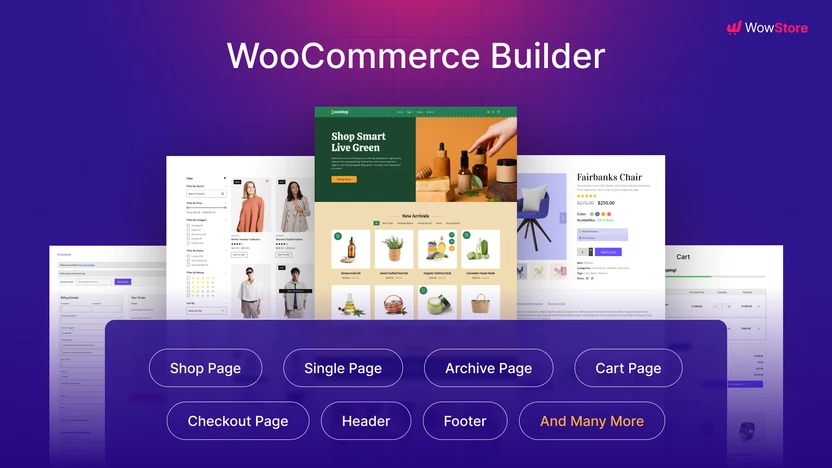
WowStore Pro is built for that phase. It focuses on improving how your store functions and how quickly you can shape key WooCommerce experiences without constantly patching together small tweaks.
If you are here for a WowStore Pro download, it helps to know what you are actually installing: a workflow plugin that reduces repetitive store setup work and helps you standardize common WooCommerce improvements in one place.
The core value is control. Not theoretical control, but the kind that shows up when you need to adjust store behavior quickly and safely.
With WowStore Pro, you can streamline common WooCommerce enhancements that usually require custom snippets, multiple small plugins, or theme-level edits. Instead of scattering changes across your theme, child theme, and various settings screens, you apply improvements through a centralized plugin layer that is easier to maintain over time.
This matters most when you have a store that is already selling. At that point, “quick changes” still need to be reversible, consistent, and low-risk. The plugin’s role is to make those improvements feel operational rather than experimental.
Most stores start with a theme, a few extensions, and good intentions. Then reality hits: product pages need small usability tweaks, cart and checkout need polish, and admin tasks start consuming hours each week.
Common pain points that trigger a switch to a tool like WowStore Pro include:
WowStore Pro is not magic. It will not replace a custom build. But it can reduce the surface area of your store’s moving parts, which is often the real problem.
A clean installation is the difference between a smooth launch and a week of chasing conflicts. Here is a practical, low-risk way to handle a WowStore Pro download and setup.
Before installing any new plugin, create a fresh backup. If you use a staging site, install there first. If you do not have staging, schedule the change during low-traffic hours.
Download the plugin file to your computer so you can upload it directly in WordPress. Avoid re-uploading multiple versions. Keep one clean copy so you know exactly what is installed.
In your WordPress dashboard, go to Plugins, then Add New, then Upload Plugin. Select the ZIP file, install, and activate.
Open WooCommerce status pages and check for obvious errors. Then load a product page, cart, and checkout in an incognito window. You are looking for layout breaks, missing buttons, and unexpected redirects.
Enable one feature group at a time and re-test key pages. This makes it easy to pinpoint which setting causes a conflict if something changes.
If you use caching or script optimization, clear caches after activation. If you see odd front-end behavior, temporarily disable JS/CSS minification to confirm whether optimization is interfering.
After the initial setup, WowStore Pro tends to become a “maintenance plugin.” It is the place you go when you need to adjust store behavior without opening a code editor.
In practice, store owners and managers often use it in three ways:
This is also why download-intent searches are common. People do not just want features. They want fewer moving parts after the WowStore Pro download and activation.
A typical WooCommerce site accumulates plugins that each solve one small issue. Over time, you end up with overlapping settings, duplicated scripts, and unclear ownership of what changed what.
WowStore Pro can be a better fit when you are trying to consolidate store enhancements into a single, maintained toolkit. That consolidation often improves troubleshooting. When something breaks after a WooCommerce update, it is easier to inspect one control panel than ten unrelated plugins.
That said, consolidation only helps if you actually remove the redundant plugins afterward. A common mistake is installing WowStore Pro and leaving every previous tweak plugin active. That defeats the point and increases conflict risk.
Most performance gains here are operational, not benchmark bragging rights. The time you save is in admin actions and in avoiding repeated theme edits.
Front-end speed depends on what features you enable and what else your site is running. If your store is already heavy with page builders, tracking scripts, and multiple cart or checkout customizers, no plugin can “fix” that by itself.
The practical approach after your WowStore Pro download is to treat it as a consolidation step. Enable what you need, then remove overlapping plugins. That is where you often see the real reduction in complexity.
WowStore Pro makes the most sense when you are actively managing WooCommerce behavior and store UX. If your store is tiny, rarely updated, and your theme already covers your needs, you may not get enough value to justify another plugin layer.
Also, if you rely on heavily customized templates and bespoke checkout flows, you should plan for testing time. Any tool that touches store behavior can interact with custom code in unexpected ways. The safest path is staging first, then a controlled rollout.
Usually, yes. The key is testing. Custom themes often override WooCommerce templates, so you should verify product pages, cart, and checkout after activation. If you see layout issues, disable features one by one to isolate the cause.
Test the buying path end to end: product page, add to cart, cart updates, checkout, payment, and order confirmation. Then test customer account pages if you use them. These areas reveal conflicts faster than browsing categories.
It depends on what you are using and how deep those customizations go. If your current plugin only handles small UX improvements, WowStore Pro may allow you to remove it. If you have complex conditional checkout logic, keep your specialist tool and use WowStore Pro for non-overlapping improvements.
Yes, but clear caches after enabling features. If you use script delay, minification, or combining, re-check interactive elements like quantity selectors and add-to-cart behaviors. If something stops responding, test with optimization temporarily disabled.
Turning on many features at once and then trying to debug a conflict. Enable changes in small batches and verify key pages each time. This approach saves hours if something clashes with your theme or another WooCommerce extension.
Many store owners prefer keeping a known plugin ZIP on hand for controlled deployments, staging installs, or team workflows. A direct WowStore Pro download also makes version tracking easier when multiple people manage the site.
The best time for a WowStore Pro download is when you can treat it as a cleanup project, not just an add-on. Install, enable only what you need, and then remove overlapping plugins so your store becomes easier to maintain.
If your WooCommerce site is past the “starter store” stage and you are spending real time on repetitive admin tasks or scattered tweaks, WowStore Pro is often a practical step toward a calmer, more consistent setup.
For Installation or Technical Related Queries check FAQ Page
Our Website also have older version of the plugins and theme. So you can test your website with compatible plugins or Rollback plugins in case of any bug or compatibility issues.
UNZIP the file downloaded from our website, the zip file might contain other files like Template, Docs etc. So make sure you upload correct file.
To Install Plugins:
To Install Themes:
Sometimes theme/plugin might ask you for license, just ignore. Because we have already activated the product with out legal key, which we have purchased for you.
When a New version appears and is available on our website you’ll find it in My Account “Downloads section”.
For Destination Already Exists error:
Make sure to Delete the version of theme/plugin that you have on your website before you upload our premium version, it might cause a conflict during installation and activation.
Or WordPress will say “destination already exists” when trying to upgrade using a zip file and will fail to upgrade the theme or plugin.
If you faced “destination already exists” error installing this Plugin will solve the issue – Easy Theme and Plugin Upgrades.
Our business hours are Monday to Saturday from 10:00 am to 8:00 pm, any request made outside these hours will be answered until next business day. Support and Updates can take 24 to 48 hours. Support provided is for product installation. Please be aware of possible time zone differences when waiting for our reply.
If you have any Queries, Feel Free to Contact Us:
Abuse Warning:
For more information please read FAQs & Terms of Use.