Get upto 60% Discount

Get upto 60% Discount
Unlimited Access:
$10.00 Original price was: $10.00.$2.99Current price is: $2.99.
Available Download Files

Tired of Restrictions?
Go Unlimited!
Join Our Membership to Download 8400+ Plugins & Themes

Not every product is meant to be purchased instantly. In many industries such as manufacturing, wholesale supply, custom services, or bulk distribution, customers expect to request a quote before committing to a purchase. Standard WooCommerce checkout flows are built for fixed pricing, but B2B buyers often need negotiated pricing, quantity discussions, or custom configurations.
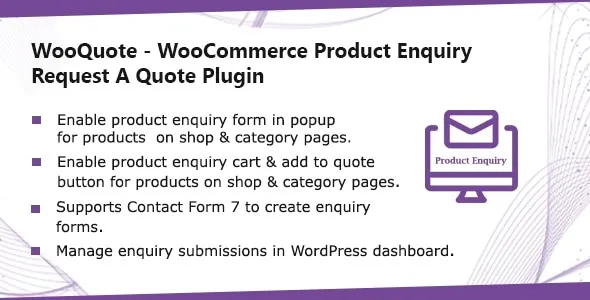
WooQuote – WooCommerce Product Enquiry & Request A Quote Plugin is designed to replace or complement the default cart process with structured enquiry and quotation workflows. Instead of forcing immediate checkout, the plugin enables controlled communication between store owners and potential buyers.
WordPress operates under the GNU General Public License. Plugins that extend WordPress and WooCommerce functionality through PHP are generally aligned with GPL principles. WooQuote follows this licensing structure, meaning its core code respects GPL standards.
GPL allows users to review the source code, modify enquiry workflows, and deploy the plugin across multiple WordPress installations. The license supports transparency and flexibility in ecommerce development.
Quotation systems directly influence pricing negotiations, order processing, and customer communication. GPL ensures developers can audit form handling logic, email triggers, and pricing workflows to ensure alignment with business requirements.
After activation, the plugin allows store owners to replace the standard Add to Cart button with a Request a Quote or Enquiry button. This shifts the purchasing model from direct checkout to structured communication.
Store owners can configure enquiry forms that capture essential customer details such as requested quantity, business information, project requirements, and additional notes.
Submitted enquiries are stored within the WordPress dashboard, allowing administrators to review, respond, approve, or convert quotes into orders.
Ensure WordPress is updated to the latest stable version.
Confirm WooCommerce is installed and activated.
Verify PHP version compatibility according to plugin requirements.
Log into the WordPress dashboard.
Navigate to Plugins → Add New → Upload Plugin.
Select the WooQuote ZIP file.
Click Install Now and wait for installation to complete.
Click Activate Plugin.
Confirm there are no visible conflicts or error messages in the dashboard.
Access the plugin settings panel.
Choose whether to hide Add to Cart globally or for specific products.
Configure enquiry form fields.
Set email notification preferences.
Define quote approval workflow.
Submit a test quote request.
Verify email notifications are delivered.
Review quote management inside the dashboard.
Confirm response process functions correctly before production use.
The Request a Quote button must integrate cleanly with the active theme. Testing should confirm proper alignment on product pages across desktop and mobile devices.
If used alongside standard WooCommerce checkout, verify that pricing visibility rules and cart behavior operate as intended. Some stores may use hybrid models where both direct purchase and quote options coexist.
Updates commonly address compatibility with new WooCommerce releases, form validation improvements, security refinements, and bug fixes.
Before updating, verify compatibility with:
Current WordPress version
Installed WooCommerce version
Server PHP version
GPL allows redistribution of the plugin, but long-term reliability depends on responsible version management and testing.
Improved compatibility with latest WooCommerce update
Enhanced quote submission validation
Resolved minor email notification inconsistencies
Performance refinements for admin quote management
Security and stability improvements
WooQuote – WooCommerce Product Enquiry & Request A Quote Plugin enables WooCommerce stores to move beyond fixed pricing models and implement structured quotation workflows. When properly configured and tested, it supports B2B negotiations, custom orders, and enterprise sales processes.
Understanding GPL licensing, following structured installation steps, and maintaining update discipline ensures long-term stability and professional deployment within the WooCommerce ecosystem.
For Installation or Technical Related Queries check FAQ Page
Our Website also have older version of the plugins and theme. So you can test your website with compatible plugins or Rollback plugins in case of any bug or compatibility issues.
UNZIP the file downloaded from our website, the zip file might contain other files like Template, Docs etc. So make sure you upload correct file.
To Install Plugins:
To Install Themes:
Sometimes theme/plugin might ask you for license, just ignore. Because we have already activated the product with out legal key, which we have purchased for you.
When a New version appears and is available on our website you’ll find it in My Account “Downloads section”.
For Destination Already Exists error:
Make sure to Delete the version of theme/plugin that you have on your website before you upload our premium version, it might cause a conflict during installation and activation.
Or WordPress will say “destination already exists” when trying to upgrade using a zip file and will fail to upgrade the theme or plugin.
If you faced “destination already exists” error installing this Plugin will solve the issue – Easy Theme and Plugin Upgrades.
Our business hours are Monday to Saturday from 10:00 am to 8:00 pm, any request made outside these hours will be answered until next business day. Support and Updates can take 24 to 48 hours. Support provided is for product installation. Please be aware of possible time zone differences when waiting for our reply.
If you have any Queries, Feel Free to Contact Us:
Abuse Warning:
For more information please read FAQs & Terms of Use.