Get upto 60% Discount

Get upto 60% Discount
Unlimited Access:
$10.00 Original price was: $10.00.$2.99Current price is: $2.99.
Available Download Files

Tired of Restrictions?
Go Unlimited!
Join Our Membership to Download 8400+ Plugins & Themes

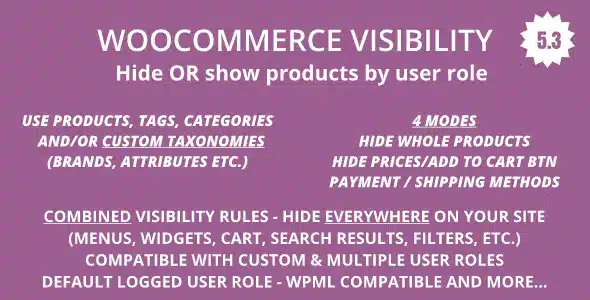
WooCommerce Hide Products by User Roles is a utility plugin designed to control who can see specific products inside a WooCommerce store. Rather than modifying prices, stock, or permissions at checkout, it focuses purely on visibility logic — deciding which products appear to which users.
This page explains how the plugin behaves once installed, what problems it solves in real WooCommerce environments, and how to use it without disrupting catalog structure, SEO, or store performance.
As WooCommerce stores grow, product visibility often becomes more complex than “published” or “hidden.” Stores begin serving different audiences: wholesale buyers, members, logged-in users, or internal staff.
Common problems appear:
WooCommerce Hide Products by User Roles exists to solve this at the logic layer, not through content duplication.
After you download and activate WooCommerce Hide Products by User Roles, the store’s frontend behavior changes selectively, while the backend remains intact.
In practical terms:
This allows store owners to manage audience-specific catalogs without rewriting WooCommerce’s core behavior.
This plugin does not replace WooCommerce product status, stock handling, or pricing logic. Instead, it filters product visibility during catalog rendering.
Important implications:
Because it works at the query and display level, it avoids the maintenance issues caused by manual catalog segmentation.
Understanding limitations is critical for correct use.
WooCommerce Hide Products by User Roles does not:
It is often paired with membership, wholesale, or role-management plugins to complete the workflow.
This plugin is commonly deployed in:
In each case, the goal is catalog clarity, not access restriction.
To install the plugin on your WooCommerce site:
Once activated, apply visibility rules gradually and verify results on the frontend.
Product visibility affects how search engines crawl your store.
Best practices include:
Handled correctly, this plugin helps reduce thin or irrelevant product exposure rather than creating SEO issues.
Does hiding a product remove it from WooCommerce?
No. Products remain published and manageable in the admin area.
Will hidden products appear in search results?
They are hidden from frontend catalog views when rules apply.
Can visibility rules be changed later?
Yes. All rules are editable and reversible.
Is this compatible with recent WooCommerce versions?
Yes. Updates focus on compatibility with WooCommerce and WordPress core.
Version 6.3.2
For Installation or Technical Related Queries check FAQ Page
Our Website also have older version of the plugins and theme. So you can test your website with compatible plugins or Rollback plugins in case of any bug or compatibility issues.
UNZIP the file downloaded from our website, the zip file might contain other files like Template, Docs etc. So make sure you upload correct file.
To Install Plugins:
To Install Themes:
Sometimes theme/plugin might ask you for license, just ignore. Because we have already activated the product with out legal key, which we have purchased for you.
When a New version appears and is available on our website you’ll find it in My Account “Downloads section”.
For Destination Already Exists error:
Make sure to Delete the version of theme/plugin that you have on your website before you upload our premium version, it might cause a conflict during installation and activation.
Or WordPress will say “destination already exists” when trying to upgrade using a zip file and will fail to upgrade the theme or plugin.
If you faced “destination already exists” error installing this Plugin will solve the issue – Easy Theme and Plugin Upgrades.
Our business hours are Monday to Saturday from 10:00 am to 8:00 pm, any request made outside these hours will be answered until next business day. Support and Updates can take 24 to 48 hours. Support provided is for product installation. Please be aware of possible time zone differences when waiting for our reply.
If you have any Queries, Feel Free to Contact Us:
Abuse Warning:
For more information please read FAQs & Terms of Use.