Get upto 60% Discount

Get upto 60% Discount

Unlimited Access:
$10.00 Original price was: $10.00.$2.99Current price is: $2.99.

Tired of Restrictions?
Go Unlimited!
Join Our Membership to Download 8400+ Plugins & Themes

Have you ever dreamt of transforming your WordPress website into a thriving membership hub? Paid Memberships Pro (PMPro) can turn that dream into reality. This powerful plugin equips you with everything you need to create a membership site that delivers exclusive value to your audience and generates recurring revenue.
At its core, PMPro allows you to restrict access to valuable content, courses, or resources on your website. This gated content creates a powerful incentive for users to subscribe, giving them exclusive access to the information or resources they desire.
But Paid Memberships Pro v3.8.7goes beyond simple content gating. You can design different membership levels, each with varying subscription fees and access privileges. This caters to a wider audience, allowing you to offer basic memberships for a lower fee and premium memberships with exclusive benefits for a higher price point.
Seamless payment integration with popular gateways like PayPal and Stripe makes the signup process smooth and effortless for users. You can even leverage recurring subscriptions to ensure a steady income stream from your memberships.
PMPro is also freemium friendly, allowing you to offer a free membership tier alongside paid options. This free tier acts as a gateway, attracting new users and allowing them to experience the value you offer before committing to a paid membership.
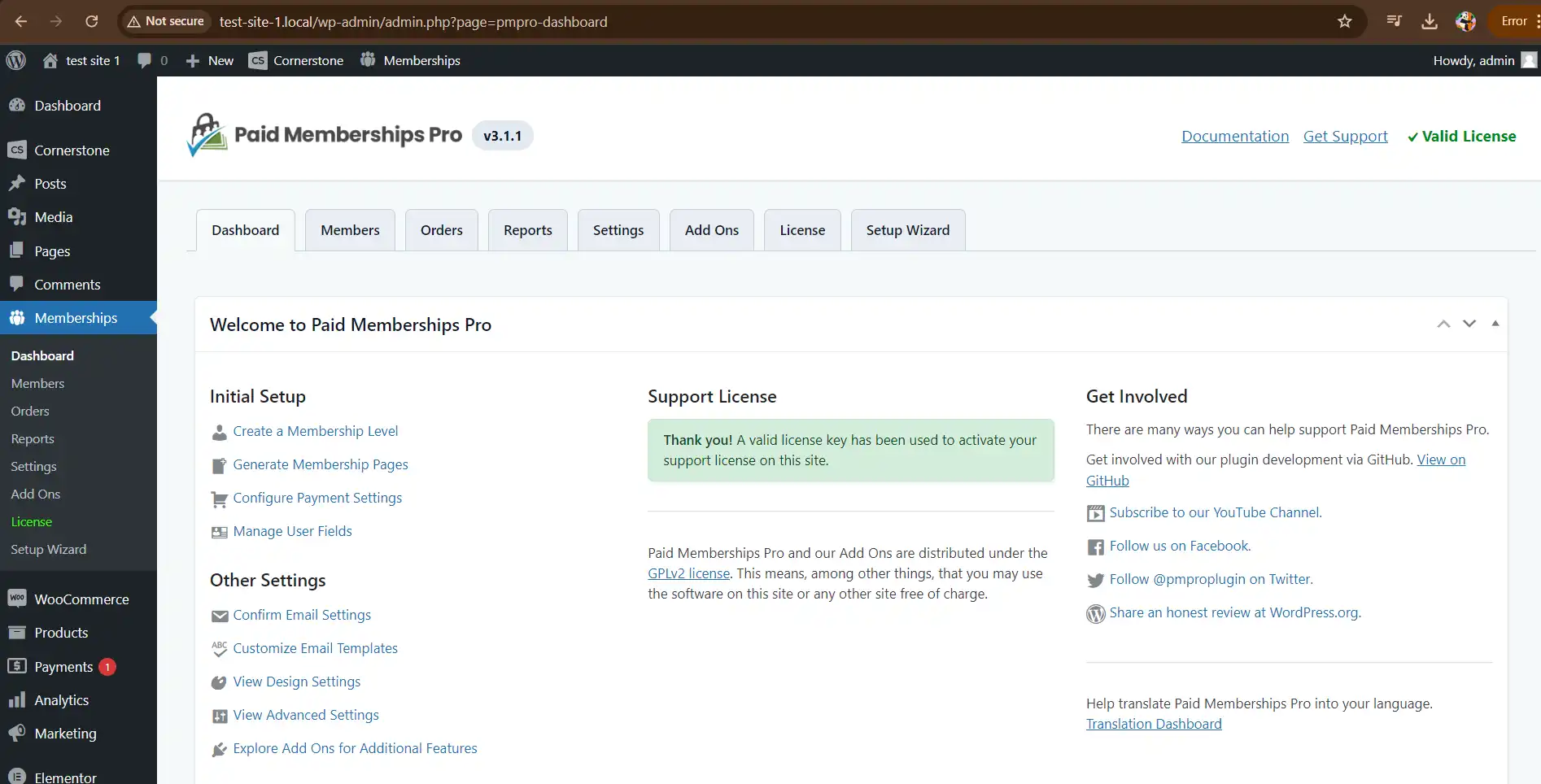
From a user-friendly dashboard, you can manage all aspects of your membership site with ease. This includes managing memberships, subscriptions, user details, and even controlling access to content with PMPro’s add-ons (purchased separately).
At its best, Paid Memberships Pro lets you treat “membership” as a first-class state in WordPress. A user is not just logged in. They are on Level A, expired, cancelled, in a trial, or pending payment, and your site responds consistently.
That consistency is what unlocks practical use cases: a course library with tiered access, a paid community with recurring billing, a digital publication with metered upgrades, or a client portal where access is tied to an active plan.
Instead of building rules page-by-page, you define membership levels, connect them to content restrictions, and let the plugin handle the checkout, renewal, and account management paths that members expect.
Paid Memberships Pro (PMPro) is a powerful WordPress plugin designed to transform your website into a lucrative membership platform. Here’s what it offers:
Content Gating: Restrict access to valuable content, courses, or resources, creating an incentive for users to subscribe.
Flexible Membership Levels: Design different membership tiers with varying subscription fees and access privileges.
Seamless Payment Integration: Accept payments through popular gateways like PayPal, Stripe, and Authorize.Net, streamlining the signup process.
Recurring Subscriptions: Set up automated recurring payments, ensuring a steady income stream from your memberships.
Freemium Model Friendly: Offer a free tier alongside paid memberships, attracting new users and allowing them to experience the value before upgrading.
Easy Management: Manage memberships, subscriptions, and user details efficiently from a user-friendly dashboard.
Content Dripping (Add-On): Control when members access specific content, building anticipation and engagement (available with add-ons).
Paid Memberships Pro is a feature-rich plugin for WordPress, but its true potential unfolds when combined with various integrations. These integrations extend PMPro’s functionalities, allowing you to create a more comprehensive and engaging membership experience.
Here’s a glimpse into the world of Paid Memberships Pro integrations:
Payment Gateways: Out of the box, Paid Memberships Pro v3.8.7integrates with popular payment gateways like PayPal, Stripe, and Authorize.Net. However, additional integrations with other payment processors can be achieved through add-ons, catering to a wider audience with diverse payment preferences.
Email Marketing: Integrating with email marketing platforms like Mailchimp or AWeber allows you to automate email communication with your members. This can be used for welcome emails, subscription renewal reminders, or targeted promotional campaigns based on membership levels.
Course Platforms: Integrates seamlessly with popular course platforms like LearnDash or LifterLMS. This enables you to create tiered memberships where access to specific courses is tied to membership levels.
Content Restriction: Paid Memberships Pro excels at restricting access to content, but integrations with content creation plugins like Elementor Pro or Beaver Builder can further enhance this functionality. These integrations allow you to restrict access to specific sections or elements within your content, offering a more granular control over what members see.
Community Building: Integrations with community plugins like BuddyPress or bbPress can transform your membership site into a thriving online community. Members can interact with each other, participate in discussions, and build a sense of belonging.
Marketing Automation: Advanced integrations with marketing automation platforms can unlock powerful features like automated drip campaigns, personalized content delivery, and targeted member engagement strategies.
Beyond these examples, it offers a vast library of add-ons catering to specific needs. Paid Memberships Pro empowers you to create a membership site that not only fosters a loyal community but also becomes a sustainable source of income for your online business.
Upload and activate the plugin in WordPress, then complete the initial setup so your key pages are created correctly. Membership plugins rely on specific account and checkout pages, and missing pages are a common cause of broken flows.
Next, configure your payment gateway and run a full test transaction in a sandbox or test mode if your gateway supports it. Confirm that the membership level is applied immediately after successful payment and that restricted content becomes available.
Finally, review your restriction rules. Start small with one or two protected pages, verify behavior for logged-out users, free members, and paid members, then expand. This helps you catch accidental restrictions on navigation, account pages, or confirmation screens.
Yes, but clarity depends on how you structure levels and your upgrade path. A common approach is a free level for account creation and previews, then one paid level as the “default” upgrade. Keep the decision simple on the pricing page and avoid creating too many similar tiers early on.
Test the entire lifecycle: new signup, payment success, restricted content access, renewal, failed renewal behavior, cancellation, and what happens when a cancelled member logs in later. Also test password reset and account update flows, since those pages are easy to accidentally restrict.
In most cases, yes. The main watch-out is styling and layout for checkout and account pages. Plan time to match your theme’s design, and confirm that your builder does not cache or aggressively optimize pages that need dynamic member-specific output.
Set up an admin test account that is not your primary administrator, and verify restrictions using that account. Apply rules gradually, and always keep at least one administrator able to view and edit restricted content regardless of membership status.
It can control who can access download pages, which is often sufficient. If you need expiring links, per-file access logs, or complex download entitlements, you may want an additional download management tool. Many sites still use membership levels to decide who can see the download library.
Creating levels before deciding what each level actually unlocks. Start with a content map: which categories, pages, or sections are included at each tier. Then build levels to match that map. It prevents overlapping access rules that become hard to debug later.
For Installation or Technical Related Queries check FAQ Page
Our Website also have older version of the plugins and theme. So you can test your website with compatible plugins or Rollback plugins in case of any bug or compatibility issues.
UNZIP the file downloaded from our website, the zip file might contain other files like Template, Docs etc. So make sure you upload correct file.
To Install Plugins:
To Install Themes:
Sometimes theme/plugin might ask you for license, just ignore. Because we have already activated the product with out legal key, which we have purchased for you.
When a New version appears and is available on our website you’ll find it in My Account “Downloads section”.
For Destination Already Exists error:
Make sure to Delete the version of theme/plugin that you have on your website before you upload our premium version, it might cause a conflict during installation and activation.
Or WordPress will say “destination already exists” when trying to upgrade using a zip file and will fail to upgrade the theme or plugin.
If you faced “destination already exists” error installing this Plugin will solve the issue – Easy Theme and Plugin Upgrades.
Our business hours are Monday to Saturday from 10:00 am to 8:00 pm, any request made outside these hours will be answered until next business day. Support and Updates can take 24 to 48 hours. Support provided is for product installation. Please be aware of possible time zone differences when waiting for our reply.
If you have any Queries, Feel Free to Contact Us:
Abuse Warning:
For more information please read FAQs & Terms of Use.