Get upto 60% Discount

Get upto 60% Discount
Unlimited Access:
$10.00 Original price was: $10.00.$2.99Current price is: $2.99.
Available Download Files

Tired of Restrictions?
Go Unlimited!
Join Our Membership to Download 8400+ Plugins & Themes

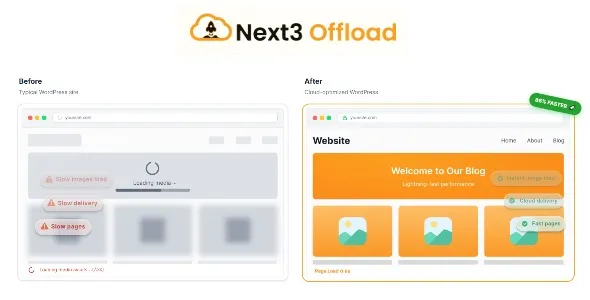
Next3 Offload is a WordPress plugin designed to change how media files are stored and delivered by a website. Instead of serving images, videos, and assets directly from the WordPress server, it allows media to be offloaded to external storage and delivery services, reducing load on the hosting environment.
This page explains what actually changes after the plugin is activated, how it behaves in real WordPress setups, and when offloading media makes sense from a performance and maintenance perspective.
As a site grows, media files often become the heaviest part of the infrastructure. High-resolution images, repeated downloads, and traffic spikes can overwhelm shared or mid-tier hosting.
Common symptoms include:
Next3 Offload is typically introduced when media delivery becomes a performance or cost concern rather than a design issue.
After you download and activate Next3 Offload, WordPress continues to manage media uploads as usual from the user’s perspective. The difference is where files are stored and served from.
In real-world usage:
This allows offloading to happen transparently without disrupting how content is created or displayed.
Offloading media changes the load profile of a WordPress site. Instead of the web server handling every asset request, static files are served from optimized storage or delivery networks.
Practical implications include:
These benefits depend on correct configuration and reliable external storage.
Media offloading introduces dependencies that should be understood.
Next3 Offload does not:
It works best as part of a broader performance and infrastructure strategy.
Next3 Offload is usually installed after:
Developers and site owners often add it once server-side optimizations are no longer sufficient.
Common production scenarios include:
In these cases, offloading media improves reliability rather than changing site design.
To install the plugin on your WordPress site:
After activation, configure storage credentials and test media delivery before enabling offloading site-wide.
Before applying offloading in production:
These checks help avoid broken media links or delivery issues.
Will existing media links break?
No. Media references remain intact when configured correctly.
Does this improve SEO directly?
It improves performance, which can indirectly support better user experience.
Can offloading be disabled later?
Yes. Media handling can be adjusted or reverted through settings.
Is it compatible with recent WordPress versions?
Yes. Updates focus on compatibility and delivery stability.
Version 4.3.8
For Installation or Technical Related Queries check FAQ Page
Our Website also have older version of the plugins and theme. So you can test your website with compatible plugins or Rollback plugins in case of any bug or compatibility issues.
UNZIP the file downloaded from our website, the zip file might contain other files like Template, Docs etc. So make sure you upload correct file.
To Install Plugins:
To Install Themes:
Sometimes theme/plugin might ask you for license, just ignore. Because we have already activated the product with out legal key, which we have purchased for you.
When a New version appears and is available on our website you’ll find it in My Account “Downloads section”.
For Destination Already Exists error:
Make sure to Delete the version of theme/plugin that you have on your website before you upload our premium version, it might cause a conflict during installation and activation.
Or WordPress will say “destination already exists” when trying to upgrade using a zip file and will fail to upgrade the theme or plugin.
If you faced “destination already exists” error installing this Plugin will solve the issue – Easy Theme and Plugin Upgrades.
Our business hours are Monday to Saturday from 10:00 am to 8:00 pm, any request made outside these hours will be answered until next business day. Support and Updates can take 24 to 48 hours. Support provided is for product installation. Please be aware of possible time zone differences when waiting for our reply.
If you have any Queries, Feel Free to Contact Us:
Abuse Warning:
For more information please read FAQs & Terms of Use.