Get upto 60% Discount

Get upto 60% Discount
Unlimited Access:
$10.00 Original price was: $10.00.$2.99Current price is: $2.99.

Tired of Restrictions?
Go Unlimited!
Join Our Membership to Download 8400+ Plugins & Themes

Teams usually hit the same wall: you can find good sources, but turning them into consistent WordPress posts across multiple sites is slow. Copying, cleaning, formatting, and scheduling becomes the job, not the publishing strategy.
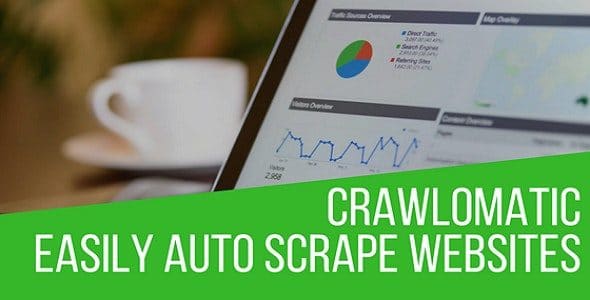
Crawlomatic Multisite Scraper Post Generator Plugin is built for that exact friction. It crawls targeted pages, extracts what you define, and generates posts automatically. If you manage a network, it can publish across sites with rules instead of manual repetition.
If you are here for a Crawlomatic Multisite Scraper Post Generator Plugin download, the main thing to know is that the plugin is most valuable when you already have a clear content policy: what sources you trust, what you will rewrite, and how you will avoid creating pages that compete with each other.
Crawlomatic Multisite Scraper Post Generator Plugin enables structured content ingestion. Instead of treating scraping as a one-off import, you set up campaigns that keep pulling new items, shaping them into posts, and publishing them on a schedule.
From an indexing and crawl-prioritization perspective, the win is not “more posts.” The win is predictable publishing, consistent internal linking opportunities, and cleaner topical segmentation across sites in a multisite network.
Used well, it helps you build sections like “daily updates,” “resource roundups,” or “catalog-style posts” without burning hours on repetitive formatting. Used poorly, it can generate thin, near-duplicate pages that waste crawl budget and dilute intent.
On multisite, the hidden cost is coordination. Different sites need different categories, different templates, and different editorial rules. Crawlomatic Multisite Scraper Post Generator Plugin fits when you want one ingestion system but varied outputs per site.
Common use cases that tend to hold up in real deployments:
It is also useful when you need to standardize post structure. For example, always include a summary, a source citation, a featured image rule, and a set of tags derived from page elements.
The biggest SEO mistake with automated post generation is not “duplicate content” in the simplistic sense. It is duplicate intent. You end up with multiple URLs answering the same query with slightly different wording.
To keep Google crawling and ranking the right pages, plan for:
People often overestimate what the plugin does out of the box. It can fetch and generate. It cannot replace editorial judgment. You still need rules that protect your site from becoming a low-value mirror of another source.
If you are ready for a Crawlomatic Multisite Scraper Post Generator Plugin download, install it like you would any production plugin, with a focus on stability and rollback.
After installation, treat the first week as calibration. You are not just “importing.” You are defining a repeatable publishing system.
The time savings are real, but not where most people expect. The plugin does not eliminate strategy work. It eliminates repetitive operations: finding URLs, copying sections, stripping unwanted elements, and formatting posts.
Once campaigns are stable, the workflow becomes review-based. Editors spend time approving, improving intros, adding internal links, and making sure each post targets a distinct query set. That is a better use of human effort, and it usually produces cleaner index signals than fully automated publishing.
When you scale, use drafts or a moderation queue. Publishing everything immediately is how sites accidentally flood Google with low-value URLs and then wonder why crawl activity shifts away from important pages.
Most failures come from extraction rules that are too broad or too literal.
A practical fix is to add a consistent editorial wrapper. Even a short, human-written intro that explains why the item matters can separate a useful page from a disposable one.
Manual importing works until it becomes routine. The moment you have recurring sources, manual workflows create uneven cadence and inconsistent formatting. That inconsistency shows up in indexing, because Google sees a site that publishes unpredictably and often repeats the same page types.
Lighter feed-based tools are fine when your sources provide clean RSS with full content. Crawlomatic Multisite Scraper Post Generator Plugin is more relevant when RSS is incomplete, when you need extraction from specific page sections, or when you want campaigns that behave differently across multiple sites.
If your goal is only to curate a handful of links each week, this may be more automation than you need. But if you manage multiple sites and want repeatable ingestion rules, the extra control is the point.
Yes. Draft-first publishing is one of the safest ways to use automation. It lets you validate extraction quality, add unique intros, and prevent accidental duplicate-intent pages from going live.
Use a consistent deduplication approach: avoid crawling multiple listing pages that show the same items, and configure campaigns so a unique identifier (often the source URL) is treated as the primary key. Also test with small batches before running frequent schedules.
It can, but only if the pages are useful and differentiated. Indexing improves when you publish consistent, well-structured posts with clear internal links and unique purpose. Automation alone does not guarantee indexing, and low-value pages can reduce crawl priority across the site.
Network activation is convenient for centralized management, but per-site activation can be cleaner when different sites have different publishing policies or when you want to limit who can run campaigns. Choose based on governance, not convenience.
Start with one campaign, one site, and a strict limit on posts per run. Publish to drafts or a hidden category while you refine selectors and templates. Once outputs look consistent, expand gradually.
If you are planning a Crawlomatic Multisite Scraper Post Generator Plugin download, treat the plugin as part of a broader content system. Decide what each site in your network is responsible for ranking for, then build campaigns that support that map.
A Crawlomatic Multisite Scraper Post Generator Plugin download makes the most sense when you have recurring sources and a real need for repeatable extraction. If your content is mostly original writing, you may only need it for occasional curation.
For teams moving fast, the practical sequence is: Crawlomatic Multisite Scraper Post Generator Plugin download, install on one site, run draft-only campaigns, refine selectors, then expand to additional sites once you are confident the output is unique and index-worthy.
Many users do a Crawlomatic Multisite Scraper Post Generator Plugin download expecting instant rankings. The better expectation is operational: fewer manual hours, more consistent publishing, and a workflow where humans focus on quality control instead of copy-paste.
When you are ready, proceed with your Crawlomatic Multisite Scraper Post Generator Plugin download, keep initial runs small, and measure outcomes by indexation quality and search intent coverage, not by post count.
Done carefully, a Crawlomatic Multisite Scraper Post Generator Plugin download can support a scalable multisite publishing operation without turning your network into a set of competing, near-identical pages.
For Installation or Technical Related Queries check FAQ Page
Our Website also have older version of the plugins and theme. So you can test your website with compatible plugins or Rollback plugins in case of any bug or compatibility issues.
UNZIP the file downloaded from our website, the zip file might contain other files like Template, Docs etc. So make sure you upload correct file.
To Install Plugins:
To Install Themes:
Sometimes theme/plugin might ask you for license, just ignore. Because we have already activated the product with out legal key, which we have purchased for you.
When a New version appears and is available on our website you’ll find it in My Account “Downloads section”.
For Destination Already Exists error:
Make sure to Delete the version of theme/plugin that you have on your website before you upload our premium version, it might cause a conflict during installation and activation.
Or WordPress will say “destination already exists” when trying to upgrade using a zip file and will fail to upgrade the theme or plugin.
If you faced “destination already exists” error installing this Plugin will solve the issue – Easy Theme and Plugin Upgrades.
Our business hours are Monday to Saturday from 10:00 am to 8:00 pm, any request made outside these hours will be answered until next business day. Support and Updates can take 24 to 48 hours. Support provided is for product installation. Please be aware of possible time zone differences when waiting for our reply.
If you have any Queries, Feel Free to Contact Us:
Abuse Warning:
For more information please read FAQs & Terms of Use.