Get upto 60% Discount

Get upto 60% Discount
Unlimited Access:
$10.00 Original price was: $10.00.$2.99Current price is: $2.99.

Tired of Restrictions?
Go Unlimited!
Join Our Membership to Download 8400+ Plugins & Themes

As WordPress sites grow more complex, configuration problems often appear between environments. A site may behave correctly in staging but break in production, or features enabled for administrators accidentally affect live visitors. These issues are rarely caused by themes or plugins alone, but by the lack of clear separation between environments and user contexts.
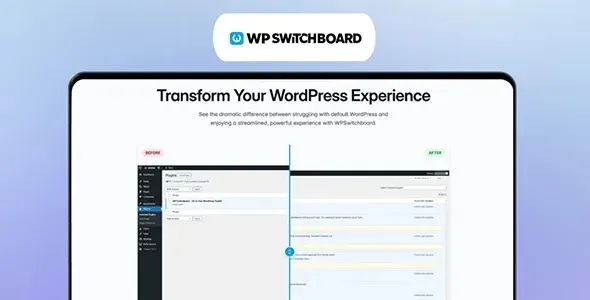
WP Switchboard Pro is designed to solve this problem by acting as a control layer that conditionally enables or disables functionality based on defined rules. Instead of hard-coding checks or relying on fragile workarounds, it allows site owners and developers to manage behavior differences in a structured way.
Modern WordPress sites often run across multiple environments: local development, staging, and production. On top of that, different users require different experiences. Administrators may need debugging tools, editors may need preview features, and visitors should see only the final output.
Without a centralized control system, sites rely on manual toggles, temporary plugins, or custom code snippets that are easy to forget and difficult to maintain. WP Switchboard Pro is typically introduced when these ad-hoc solutions begin to create risk rather than flexibility.
Once activated, WordPress continues to function normally for visitors. The plugin does not modify content, layouts, or databases by default. Instead, it introduces a rule-based layer that determines when specific actions or features should run.
In practice, this means developers can conditionally control scripts, features, or integrations depending on environment, user role, or other criteria. These conditions are evaluated consistently, reducing the chance of unintended behavior leaking into production.
WP Switchboard Pro operates at the logic level rather than the interface level. It hooks into WordPress execution flow and evaluates predefined rules before actions are applied.
Because it works with WordPress core hooks instead of overriding files, it remains compatible with themes and plugins already in use. This makes it suitable for long-term projects where maintainability is more important than quick fixes.
This plugin is not a deployment tool and does not replace version control, staging systems, or server-level configuration. It also does not manage user permissions or security rules.
Its purpose is to provide conditional control over WordPress behavior in situations where environment awareness matters. Used responsibly, it reduces the need for temporary code changes that often remain active longer than intended.
WP Switchboard Pro is commonly added to sites managed by developers or agencies once workflows become repeatable. It is often used after staging environments are already in place and teams need a reliable way to differentiate behavior without rewriting code for each deployment.
Because it does not affect frontend output unless explicitly configured, it can be introduced without redesigning the site or altering user-facing functionality.
In production environments, this plugin is used to control debugging output for administrators, enable testing tools on staging only, manage feature flags during development, and isolate experimental integrations from live users. In each case, the goal is predictability rather than automation.
By centralizing these rules, teams reduce errors caused by forgotten toggles or leftover test code.
To install WP Switchboard Pro, download the plugin file, upload it through the WordPress plugin installer, and activate it from the admin dashboard. Once active, configuration options become available to define conditional rules.
Initial setup usually involves identifying environments and deciding which behaviors should differ between them.
Before using WP Switchboard Pro in production, it is important to review each rule carefully. Site owners should confirm that conditions are correctly scoped, test behavior under different user roles, and document active rules for future maintenance.
These steps help ensure that conditional logic improves reliability rather than adding hidden complexity.
Does this plugin change site content?
No. It controls behavior, not stored content.
Can rules be disabled easily?
Yes. Rules can be modified or turned off without removing the plugin.
Is it suitable for non-developers?
It is best suited for users who understand WordPress workflows and environments.
Is it compatible with recent WordPress versions?
Yes. Updates focus on compatibility and stability with WordPress core.
Version 1.10.0
Recent updates focus on maintaining compatibility with current WordPress releases, improving rule evaluation reliability, reducing conflicts with themes and plugins, and ensuring predictable behavior across environments. The plugin is verified for WordPress 6.0+ and supports PHP 7.4 and above.
For Installation or Technical Related Queries check FAQ Page
Our Website also have older version of the plugins and theme. So you can test your website with compatible plugins or Rollback plugins in case of any bug or compatibility issues.
UNZIP the file downloaded from our website, the zip file might contain other files like Template, Docs etc. So make sure you upload correct file.
To Install Plugins:
To Install Themes:
Sometimes theme/plugin might ask you for license, just ignore. Because we have already activated the product with out legal key, which we have purchased for you.
When a New version appears and is available on our website you’ll find it in My Account “Downloads section”.
For Destination Already Exists error:
Make sure to Delete the version of theme/plugin that you have on your website before you upload our premium version, it might cause a conflict during installation and activation.
Or WordPress will say “destination already exists” when trying to upgrade using a zip file and will fail to upgrade the theme or plugin.
If you faced “destination already exists” error installing this Plugin will solve the issue – Easy Theme and Plugin Upgrades.
Our business hours are Monday to Saturday from 10:00 am to 8:00 pm, any request made outside these hours will be answered until next business day. Support and Updates can take 24 to 48 hours. Support provided is for product installation. Please be aware of possible time zone differences when waiting for our reply.
If you have any Queries, Feel Free to Contact Us:
Abuse Warning:
For more information please read FAQs & Terms of Use.