Get upto 60% Discount

Get upto 60% Discount
Unlimited Access:
$10.00 Original price was: $10.00.$2.99Current price is: $2.99.

Tired of Restrictions?
Go Unlimited!
Join Our Membership to Download 8400+ Plugins & Themes

Most sustainability, solar, and environmental sites run into the same wall. A standard business theme can be made “green” with colors and a few icons, but the page structure still reads like a generic agency site. Visitors end up hunting for project proof, certifications, impact numbers, or service areas.
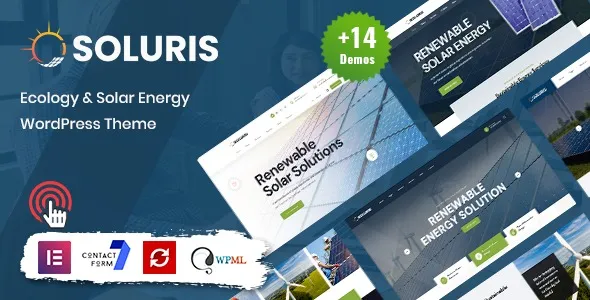
Soluris – Ecology & Solar Energy WordPress Theme is typically chosen when you want the layout to do the explaining. The homepage and inner pages are meant to support credibility-driven browsing: who you are, what you install or advocate for, and why it matters. That is the practical reason many users start with a Soluris – Ecology & Solar Energy WordPress Theme download rather than building from a blank theme and hoping the final result feels coherent.
It also fits redesign situations where the old site has content, but not a narrative. If you already have case studies, service descriptions, or partner logos, this theme’s structure helps you place them in a way that feels intentional after activation.
After you activate Soluris – Ecology & Solar Energy WordPress Theme, the first impression depends on whether you import demo content. Without demo import, you will see the theme styling, typography, and core templates, but your pages will still look sparse until you build the homepage sections and assign menus.
With a demo import, the theme tends to create a clearer “story path” right away. You usually get a homepage that is segmented into scannable blocks. Expect areas for a high-level mission statement, services or programs, proof elements, and a conversion section that is more informational than pushy.
The surprise for many users is that the theme’s polish is tied to content density. If you only have a short paragraph per page, the design can feel empty. If you have real project photos, before-and-after images, or even a handful of metrics (kW installed, CO2 saved, communities served), the layout starts to look like the demo because it has something to frame.
Another common post-download reality is image consistency. Soluris – Ecology & Solar Energy WordPress Theme tends to look best when your images share a similar color temperature and cropping ratio. Mixing phone screenshots, wide landscape photos, and dark indoor shots can make sections feel uneven even if the theme itself is stable.
Eco and solar themes often lean on large hero images, background sections, and icon sets. That can be fine, but the performance outcome depends on how you use the theme after installation, not on the theme name alone.
For Soluris – Ecology & Solar Energy WordPress Theme, the biggest speed wins usually come from practical housekeeping: compressing hero images, limiting sliders to one key message, and keeping homepage sections focused. If you import a demo and keep every block, you may end up with a homepage that is visually rich but heavier than needed.
If your goal is local lead generation (solar installers, consulting, audits), treat the homepage like a landing page, not a brochure. Keep the above-the-fold message clear, reduce decorative sections, and move long explanations to inner pages. This approach improves crawl prioritization too, because your internal linking becomes cleaner and your most important pages are easier for search engines to understand.
One more practical note: when users stack multiple page-builder add-ons “just in case,” performance usually suffers. If you download and install Soluris – Ecology & Solar Energy WordPress Theme, decide early which builder workflow you will stick to and remove unused plugins. It reduces CSS and script overhead and makes future updates simpler.
A typical Soluris – Ecology & Solar Energy WordPress Theme download is delivered as a ZIP file. In WordPress, go to Appearance > Themes > Add New > Upload Theme, upload the ZIP, install, then activate. If the package includes a child theme, install the parent theme first, then activate the child theme to preserve your edits over time.
After activation, check Appearance > Menus and Settings > Reading. Many “it looks broken” reports come from forgetting to assign the homepage or not setting menu locations. You can have the right theme installed and still see a plain blog index if the homepage is not assigned.
Demo import is where most setup friction happens. If the theme provides a one-click importer, run it once, wait for completion, and avoid refreshing mid-import. The most common mistake is importing multiple times. That duplicates pages, menus, and media, which can create duplicate-intent pages that confuse both visitors and Google. If you need to re-import, it is often cleaner to reset the site or delete the imported content before trying again.
Once your import is done, open a few key templates (homepage, service page, contact page) and replace demo text immediately. Leaving demo headings in place can create thin or duplicated content signals. If you are evaluating fit before committing, keep the demo, but set the site to discourage indexing until your real copy is in place.
If you are comparing sources or versions, keep your workflow consistent: one Soluris – Ecology & Solar Energy WordPress Theme download, one install, one demo import, then evaluate on mobile and desktop before adding extra plugins.
People rarely choose Soluris – Ecology & Solar Energy WordPress Theme for a single feature. They download it because the structure supports a specific type of decision-making. Visitors to ecology and solar sites often arrive skeptical or overwhelmed. They want quick proof, clear service boundaries, and a sense that the organization is legitimate.
This theme’s value is that it encourages a “show, then explain” flow. You can lead with outcomes and credibility elements, then offer deeper pages for methods, certifications, or project details. That reduces bounce rates compared with a homepage that starts with long mission statements.
It also helps avoid duplicate-intent traps across pages. Many sites accidentally publish multiple pages that all target the same vague intent (for example, “Solar Solutions,” “Solar Services,” and “Renewable Energy”). With Soluris – Ecology & Solar Energy WordPress Theme, it is easier to map one page to one purpose: a services overview, a specific service detail, a projects archive, and a contact or quote page. That clarity tends to improve indexing and internal linking quality once the site is live.
If your goal is a clean, install-ready foundation that looks credible quickly, a Soluris – Ecology & Solar Energy WordPress Theme WordPress theme download is often a faster path than stitching together unrelated blocks from a multipurpose theme.
Yes, as long as you can populate the layout with real service details and proof elements. Installers benefit from clear service pages, project galleries, and location coverage. Nonprofits benefit from impact storytelling and program pages. The difference is your content strategy, not the theme’s baseline structure.
Confirm the homepage assignment in Settings, set menu locations, and review mobile layout on the homepage and one inner page. Then replace demo headings early. Many users judge the theme too quickly while the site is still showing placeholder text and unassigned navigation.
Usually it is image quality and spacing. Demos use consistent image ratios, curated copy length, and balanced section counts. If your images vary widely or your text is much shorter, sections can feel empty. Adjust the number of homepage blocks and standardize your featured images for a closer match.
You can, but expect more manual setup. Without demo import, you will need to create pages, assign templates where applicable, build menus, and configure the homepage layout. If you want to evaluate quickly, importing the demo and then swapping content is typically faster.
It can, especially if you avoid publishing multiple thin pages that overlap in intent. Use one strong pillar page for each service and link to supporting posts or project entries. Keep your navigation simple so search engines can crawl to your core pages in a few clicks.
If you need a minimal, text-first blog with very few visuals, or if your brand style is intentionally industrial and not eco-oriented, you may spend time fighting the default mood. In that case, a more neutral framework theme could be a better base. Otherwise, a third Soluris – Ecology & Solar Energy WordPress Theme download is usually unnecessary once you have a clean install and a consistent content plan.
For Installation or Technical Related Queries check FAQ Page
Our Website also have older version of the plugins and theme. So you can test your website with compatible plugins or Rollback plugins in case of any bug or compatibility issues.
UNZIP the file downloaded from our website, the zip file might contain other files like Template, Docs etc. So make sure you upload correct file.
To Install Plugins:
To Install Themes:
Sometimes theme/plugin might ask you for license, just ignore. Because we have already activated the product with out legal key, which we have purchased for you.
When a New version appears and is available on our website you’ll find it in My Account “Downloads section”.
For Destination Already Exists error:
Make sure to Delete the version of theme/plugin that you have on your website before you upload our premium version, it might cause a conflict during installation and activation.
Or WordPress will say “destination already exists” when trying to upgrade using a zip file and will fail to upgrade the theme or plugin.
If you faced “destination already exists” error installing this Plugin will solve the issue – Easy Theme and Plugin Upgrades.
Our business hours are Monday to Saturday from 10:00 am to 8:00 pm, any request made outside these hours will be answered until next business day. Support and Updates can take 24 to 48 hours. Support provided is for product installation. Please be aware of possible time zone differences when waiting for our reply.
If you have any Queries, Feel Free to Contact Us:
Abuse Warning:
For more information please read FAQs & Terms of Use.