Get upto 60% Discount

Get upto 60% Discount
Unlimited Access:
₹500.00 Original price was: ₹500.00.₹199.00Current price is: ₹199.00.
Available Download Files

Tired of Restrictions?
Go Unlimited!
Join Our Membership to Download 8400+ Plugins & Themes

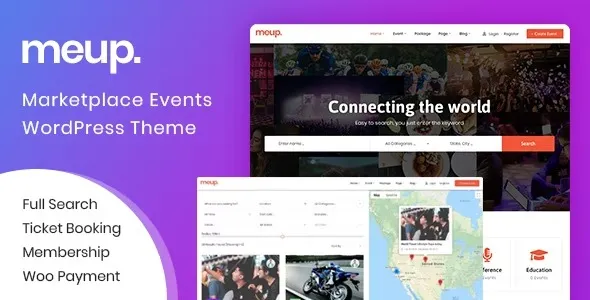
Meup Marketplace Events WordPress Theme is one of the most complete and feature-rich if you’re planning to build a powerful event booking marketplace.
Designed specifically for event organisers, ticket sellers, and businesses wanting to host paid or free events. Meup offers a highly flexible system that works seamlessly with WooCommerce and multiple payment gateways.
If you’re creating a local event site, a ticket marketplace, a booking platform, or a multi-vendor event marketplace, Meup provides all the essential tools needed.
Many users also search for the theme free to download, so this guide helps you understand exactly what it offers before deciding how to get it.
Meup stands out because it isn’t just a theme—it’s a complete event ecosystem. From event creation to ticket verification, everything is built-in to help you launch an event platform with minimal effort.
Meup supports both single-vendor and multi-vendor setups, allowing event organizers to register and publish events on your website. This makes it perfect for building platforms similar to Eventbrite or Ticketmaster.
Using the intuitive dashboard, organizers can create events with:
Event schedules
Venue details
Ticket types
Pricing options
Seat selection layouts
Booking rules
Everything is simple to configure, even for beginners.
Meup includes a powerful ticket system with unique QR codes for every booking. Event staff can scan tickets via mobile devices, making entry management faster and more professional.
One of Meup’s standout features is the interactive seat map builder. You can design:
Concert seating layouts
Cinema-style rows
VIP sections
Custom seating arrangements
Users can pick their exact seat before checkout—boosting user experience and conversions.
All payments, invoices, and ticket sales run through WooCommerce, allowing support for:
PayPal
Stripe
Bank transfer
Offline payments
Local gateways
This flexibility is essential for global event marketplaces.
Meup provides professionally-designed demo layouts that load fast and look great on all devices—desktop, tablet, and mobile.
With plugin integrations, event organizers can submit, manage, and track their events independently.
Events display real-time availability, ticket quantity, and booking status.
Users can browse events by:
Location
Date
Category
Map view
Great for marketplaces serving multiple cities.
Automated email workflows ensure users get:
Order confirmations
Tickets
Event reminders
Organizer notifications
You can launch your website quickly using ready-made demo layouts.
If you’re looking to build a platform that handles events, bookings, and ticket sales effortlessly, Meup gives you enterprise-level features without needing complex custom development.
It’s ideal for:
Event booking websites
Ticket marketplace platforms
Live shows & concerts
Workshops, seminars & conferences
Local community event portals
Multi-organizer event listings
Users searching for Meup Marketplace Events Theme free download often want to test the theme before fully committing. While the official premium version offers complete features, exploring its demo helps understand how powerful the system is.
Meup is well-optimized for search engines with:
Clean code
Schema markup
Fast loading performance
Mobile-first design
Breadcrumb and SEO-friendly structure
These features give your event website a strong chance to rank higher on Google.
For Installation or Technical Related Queries check FAQ Page
Our Website also have older version of the plugins and theme. So you can test your website with compatible plugins or Rollback plugins in case of any bug or compatibility issues.
UNZIP the file downloaded from our website, the zip file might contain other files like Template, Docs etc. So make sure you upload correct file.
To Install Plugins:
To Install Themes:
Sometimes theme/plugin might ask you for license, just ignore. Because we have already activated the product with out legal key, which we have purchased for you.
When a New version appears and is available on our website you’ll find it in My Account “Downloads section”.
For Destination Already Exists error:
Make sure to Delete the version of theme/plugin that you have on your website before you upload our premium version, it might cause a conflict during installation and activation.
Or WordPress will say “destination already exists” when trying to upgrade using a zip file and will fail to upgrade the theme or plugin.
If you faced “destination already exists” error installing this Plugin will solve the issue – Easy Theme and Plugin Upgrades.
Our business hours are Monday to Saturday from 10:00 am to 8:00 pm, any request made outside these hours will be answered until next business day. Support and Updates can take 24 to 48 hours. Support provided is for product installation. Please be aware of possible time zone differences when waiting for our reply.
If you have any Queries, Feel Free to Contact Us:
Abuse Warning:
For more information please read FAQs & Terms of Use.