Get upto 60% Discount

Get upto 60% Discount
Unlimited Access:
$10.00 Original price was: $10.00.$2.99Current price is: $2.99.
Already bought it? Open your downloads · See membership plans

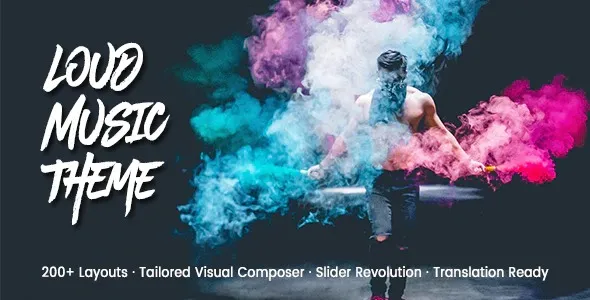
Loud – Music Industry WordPress Theme is designed for artists, bands, DJs, music producers, and entertainment businesses that want to build a strong and visually engaging online presence. It focuses on showcasing music content, events, and creative work in a way that connects with audiences and fans.
Websites in the music industry are not just about information — they are about experience and engagement. Visitors expect to explore music, watch videos, and stay updated with events.
This theme is structured to support:
Music artists and bands
DJs and music producers
Concert and event promotion
Record labels and studios
The theme allows you to present your creative work in a structured and visually appealing way.
You can display:
Music albums and tracks
Video content and performances
Artist profiles and biographies
Media galleries and updates
For musicians and entertainers, events are a key part of the business.
This theme helps you showcase:
Upcoming concerts and tours
Event schedules and details
Ticket and booking links
Fan engagement sections
The layout focuses on keeping users engaged with your content.
Visitors can explore your music, follow updates, and stay connected with your brand.
The theme is structured to support search engine visibility for keywords such as:
This helps attract fans and audience traffic.
The theme is fully responsive and optimized for fast loading, ensuring smooth performance across all devices.
You can customize layouts, colors, and typography using WordPress settings. It also supports page builders like Elementor for easy editing.
Download → Upload → Install → Activate
Is this theme suitable for musicians?
Yes, it is designed for artists and bands.
Can I showcase music and videos?
Yes, it supports media content.
Is it beginner-friendly?
Yes.
Version 2.6.93
Performance improvements
Compatibility updates
For Installation or Technical Related Queries check FAQ Page
Our Website also have older version of the plugins and theme. So you can test your website with compatible plugins or Rollback plugins in case of any bug or compatibility issues.
UNZIP the file downloaded from our website, the zip file might contain other files like Template, Docs etc. So make sure you upload correct file.
To Install Plugins:
To Install Themes:
Sometimes theme/plugin might ask you for license, just ignore. Because we have already activated the product with out legal key, which we have purchased for you.
When a New version appears and is available on our website you’ll find it in My Account “Downloads section”.
For Destination Already Exists error:
Make sure to Delete the version of theme/plugin that you have on your website before you upload our premium version, it might cause a conflict during installation and activation.
Or WordPress will say “destination already exists” when trying to upgrade using a zip file and will fail to upgrade the theme or plugin.
If you faced “destination already exists” error installing this Plugin will solve the issue – Easy Theme and Plugin Upgrades.
Our business hours are Monday to Saturday from 10:00 am to 8:00 pm, any request made outside these hours will be answered until next business day. Support and Updates can take 24 to 48 hours. Support provided is for product installation. Please be aware of possible time zone differences when waiting for our reply.
If you have any Queries, Feel Free to Contact Us:
Abuse Warning:
For more information please read FAQs & Terms of Use.