Get upto 60% Discount

Get upto 60% Discount
Unlimited Access:
$10.00 Original price was: $10.00.$2.99Current price is: $2.99.

Tired of Restrictions?
Go Unlimited!
Join Our Membership to Download 8400+ Plugins & Themes

Most creative websites start the same way. You pick a default WordPress theme, add a gallery plugin, and hope the layout stays consistent as you upload more work. It usually breaks down fast. Grids start to feel generic, typography looks slightly off, and performance suffers once you add page builders, sliders, and image effects to compensate.
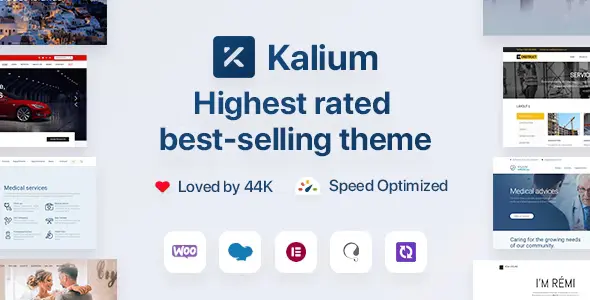
Kalium Creative Theme for Professionals is built for the moment when “good enough” design becomes a bottleneck. It gives you a controlled visual system for portfolios, studios, and product-led brands, without forcing you into a rigid template that looks like every other site.
Default themes are made to satisfy everyone. That means they rarely solve the specific problems creatives run into: presenting work in a clean narrative, keeping spacing and typography precise, and maintaining speed while using high-resolution media.
Plugin stacks add flexibility, but they also add friction. You end up managing multiple style panels, conflicting CSS, and inconsistent mobile behavior. Over time, the site becomes hard to edit because each section was built with a different tool.
Kalium focuses on cohesive layout control, polished presentation, and practical performance choices. The result is a site that stays editable and consistent when your portfolio grows from 12 projects to 120.
Kalium is strongest when you care about details that clients notice, even if they cannot name them. Typography, whitespace, and image treatment are handled as a system, so your pages feel related instead of assembled.
Instead of relying on a single “hero template” and repeating it, you can build varied page compositions while keeping a unified visual language. This matters for professionals who publish different types of work: case studies, lookbooks, product pages, and editorial content.
For teams, the consistency reduces review cycles. You spend less time fixing alignment issues and more time refining the story and imagery.
People rarely click a portfolio and read it like a brochure. They scan. They open a project, bounce back, compare two pieces, and look for a pattern that signals quality. Kalium’s portfolio approach is designed for that behavior.
You can structure projects in a way that makes sense for your industry. A photographer may prioritize full-width imagery and minimal text. A studio may need a mix of visuals, deliverables, and outcomes. A product designer may want a case study flow with sections that feel editorial, not corporate.
When portfolio navigation and filtering are smooth, visitors view more work per session. That is a practical improvement, not a cosmetic one.
Kalium works well for studios that need multiple service pages, a portfolio, and a blog or insights section. You can keep the site visually premium while still making it easy to update when new projects launch.
If your website is used in proposals and discovery calls, clarity matters. Kalium helps you present a clean body of work with consistent typography and fast-loading pages, so the site supports credibility instead of distracting from it.
These niches depend on large images, careful grid spacing, and calm typography. Kalium’s design language fits that expectation, and its layout control helps you avoid the clutter that many multipurpose themes introduce.
When you sell a small catalog of premium products, the site needs to feel intentional. Kalium can support product storytelling pages, lookbooks, and editorial landing pages that bridge brand and commerce.
Creative sites often get heavy because images are doing most of the work. The theme choice matters because it determines how much extra code you ship before images even load.
Kalium is designed to keep the front end clean. That helps with faster initial rendering and smoother scrolling, especially on mobile devices where portfolio traffic is often higher than expected.
Better performance improves more than speed scores. It reduces abandonment on image-heavy pages and makes visitors more likely to open multiple projects. When your work is the product, that behavioral lift is meaningful.
Default themes are reliable, but they are intentionally plain. You usually need extra plugins to achieve a professional portfolio look, and each plugin adds its own styling logic. That increases the chance of duplicate design patterns across pages because you reuse the same blocks to keep things manageable.
Many multipurpose themes offer hundreds of demos. The downside is that you often inherit a lot of features you never use. The site can feel slower to customize because you are navigating options meant for every industry at once.
Kalium sits in a middle ground. It gives you creative-first layout and presentation tools without pushing you into a demo that dictates your entire structure. It is a better fit when you want a distinct site that still stays easy to maintain.
On portfolio sites, duplicate intent happens when multiple pages target the same purpose. For example, you may have three “services” pages that read similarly, or portfolio entries that repeat the same intro structure and keywords. Over time, search engines struggle to understand which page is most relevant.
Kalium helps by making it easier to vary layouts and content patterns. You can create different page types that match different intents, such as a “Process” page, a “Capabilities” page, and a “Case Study” template that is clearly distinct. That separation supports cleaner internal linking and better crawl prioritization because each page has a unique role.
If you are searching for Kalium Creative Theme for Professionals download, treat it like any other production asset. Use a clean WordPress install, keep backups, and validate files before you push changes live.
1) Download the theme package to your computer and keep it in a dedicated project folder.
2) In WordPress, go to Appearance > Themes > Add New, then choose Upload Theme.
3) Upload the theme ZIP file and click Install, then Activate.
4) If the theme includes companion plugins or required components, install them from the WordPress prompt after activation.
5) Set permalinks under Settings > Permalinks, then resave once to refresh rewrite rules.
Confirm your image sizes and compression settings before importing large portfolios. Also test your homepage and a portfolio page on mobile. Small spacing issues are easier to fix early than after you have published dozens of projects.
Yes. Kalium works well when you mix media and text. You can structure case studies with clear sections, headings, and image groupings so the page reads like a story instead of a slideshow.
It can be. The key is keeping typography and spacing consistent across languages. After setup, review line height and heading lengths in each language so layouts do not feel cramped.
Use a stable structure such as /portfolio/project-name/ and keep project categories meaningful. Avoid creating multiple tag archives that mirror the same set of projects. Link to your best work from a curated “Featured” page to help crawlers prioritize.
Pre-compress images, use modern formats when available, and keep consistent dimensions per layout type. Also avoid loading every project thumbnail at maximum resolution. A disciplined image workflow usually matters more than any single setting.
Your pages and posts remain in WordPress, but layouts built with theme-specific elements may need adjustments. Plan a staging migration, map your key templates, and rebuild only the pages that drive traffic or conversions first.
They update the portfolio cadence and the homepage curation. Rotating featured projects, refining copy on service pages, and adding one strong long-form case study often delivers more impact than a full visual overhaul.
Kalium Creative Theme for Professionals fits best when your site is part of your sales process. If you need a portfolio that feels intentional, stays fast with media-heavy pages, and remains easy to edit as your work expands, it is a practical choice.
It is also a good match for teams who want fewer moving parts. A coherent theme foundation reduces plugin sprawl, keeps layouts consistent, and helps your most important pages stay clear in both user journeys and search indexing.
For Installation or Technical Related Queries check FAQ Page
Our Website also have older version of the plugins and theme. So you can test your website with compatible plugins or Rollback plugins in case of any bug or compatibility issues.
UNZIP the file downloaded from our website, the zip file might contain other files like Template, Docs etc. So make sure you upload correct file.
To Install Plugins:
To Install Themes:
Sometimes theme/plugin might ask you for license, just ignore. Because we have already activated the product with out legal key, which we have purchased for you.
When a New version appears and is available on our website you’ll find it in My Account “Downloads section”.
For Destination Already Exists error:
Make sure to Delete the version of theme/plugin that you have on your website before you upload our premium version, it might cause a conflict during installation and activation.
Or WordPress will say “destination already exists” when trying to upgrade using a zip file and will fail to upgrade the theme or plugin.
If you faced “destination already exists” error installing this Plugin will solve the issue – Easy Theme and Plugin Upgrades.
Our business hours are Monday to Saturday from 10:00 am to 8:00 pm, any request made outside these hours will be answered until next business day. Support and Updates can take 24 to 48 hours. Support provided is for product installation. Please be aware of possible time zone differences when waiting for our reply.
If you have any Queries, Feel Free to Contact Us:
Abuse Warning:
For more information please read FAQs & Terms of Use.