Get upto 60% Discount

Get upto 60% Discount
Unlimited Access:
$10.00 Original price was: $10.00.$2.99Current price is: $2.99.
Available Download Files

Tired of Restrictions?
Go Unlimited!
Join Our Membership to Download 8400+ Plugins & Themes

Moving a WordPress site is rarely as simple as copying files and importing a database. URLs break, serialized data becomes corrupted, plugins fail to recognize new paths, and environments behave differently once the site goes live. These problems become more frequent as sites grow larger, use page builders, or rely on complex plugin stacks.
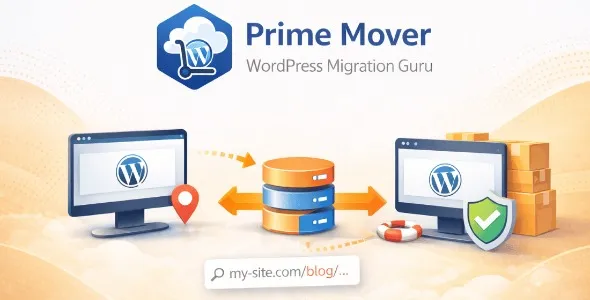
Prime Mover Pro is designed to address these migration risks by treating site movement as a controlled system process rather than a one-time file transfer. It focuses on preserving site integrity when cloning, backing up, or migrating WordPress installations between environments.
Manual migrations often work only on simple sites. As soon as a site includes custom post types, serialized options, or dynamic paths, common methods such as database search-and-replace or hosting import tools start to fail silently.
These failures usually surface after launch: broken layouts, missing media, licensing issues, or plugins that behave differently than expected. Prime Mover Pro exists to reduce these post-migration surprises by handling WordPress-specific data structures correctly during the move.
After activation, WordPress continues to function normally. Prime Mover Pro does not alter frontend behavior or content by default. Instead, it introduces a migration and backup layer that understands how WordPress stores data internally.
When a site is packaged for migration, the plugin captures files, database content, and configuration in a way that preserves relationships between URLs, paths, and serialized values. When restored, these relationships are recalculated rather than blindly replaced, which helps maintain functional parity across environments.
Prime Mover Pro operates at the application level rather than the server level. It reads WordPress data structures directly and rebuilds them during restoration instead of copying raw values.
This approach allows migrations between local, staging, and production environments without requiring manual fixes afterward. It also makes the plugin suitable for repeated use, such as syncing staging sites or creating test copies of production systems.
Prime Mover Pro is built to handle site movement reliably. It is not a hosting control panel, a deployment pipeline, or a replacement for version control. It does not manage code changes or server configuration.
Its responsibility is narrow but critical: ensure that WordPress sites can be moved, cloned, or restored without breaking internal references or plugin behavior. This clear boundary is why it is often used by developers and agencies rather than casual site owners.
The plugin is commonly introduced once a site requires staging environments, frequent testing, or regular backups that can be restored elsewhere. Agencies often use it to duplicate client sites, developers use it to move work between environments, and site owners rely on it when changing hosts or domains.
Because it does not interfere with live traffic or frontend output, it can be added to existing sites without restructuring content or themes.
In production environments, Prime Mover Pro is used for host migrations, domain changes, creating development copies of live sites, restoring sites after failure, and maintaining consistent staging environments. In each case, the priority is accuracy and predictability rather than speed alone.
By reducing manual intervention, teams spend less time debugging migrations and more time maintaining site quality.
To install the plugin, download the Prime Mover Pro package, upload it through the WordPress plugin installer, and activate it from the admin dashboard. Once active, migration and backup options become available within the WordPress admin area.
Initial use typically involves creating a full site package and testing restoration on a secondary environment before applying it to production.
Before migrating a live site, it is essential to verify available disk space, confirm PHP and WordPress version compatibility, and test restoration on a non-production environment. These precautions help prevent downtime and ensure that the migration behaves as expected.
Proper testing is especially important for sites with large databases or heavy plugin dependencies.
Does Prime Mover Pro replace manual backups?
It provides structured backups that are designed for restoration, not just storage.
Can it migrate sites between different hosts?
Yes. It is designed to work across hosting environments.
Will it affect site performance?
No. It runs only during migration or backup operations.
Is it compatible with recent WordPress versions?
Yes. Updates focus on compatibility and migration reliability.
Version 2.1.2
Recent updates focus on improving migration stability, refining handling of serialized data, enhancing compatibility with modern WordPress and PHP environments, and reducing edge cases during restoration. The plugin is verified for WordPress 6.0+ and supports PHP 7.4 and above.
For Installation or Technical Related Queries check FAQ Page
Our Website also have older version of the plugins and theme. So you can test your website with compatible plugins or Rollback plugins in case of any bug or compatibility issues.
UNZIP the file downloaded from our website, the zip file might contain other files like Template, Docs etc. So make sure you upload correct file.
To Install Plugins:
To Install Themes:
Sometimes theme/plugin might ask you for license, just ignore. Because we have already activated the product with out legal key, which we have purchased for you.
When a New version appears and is available on our website you’ll find it in My Account “Downloads section”.
For Destination Already Exists error:
Make sure to Delete the version of theme/plugin that you have on your website before you upload our premium version, it might cause a conflict during installation and activation.
Or WordPress will say “destination already exists” when trying to upgrade using a zip file and will fail to upgrade the theme or plugin.
If you faced “destination already exists” error installing this Plugin will solve the issue – Easy Theme and Plugin Upgrades.
Our business hours are Monday to Saturday from 10:00 am to 8:00 pm, any request made outside these hours will be answered until next business day. Support and Updates can take 24 to 48 hours. Support provided is for product installation. Please be aware of possible time zone differences when waiting for our reply.
If you have any Queries, Feel Free to Contact Us:
Abuse Warning:
For more information please read FAQs & Terms of Use.