Exclusive Sale! Grab Flat 10% OFF* | On All Products

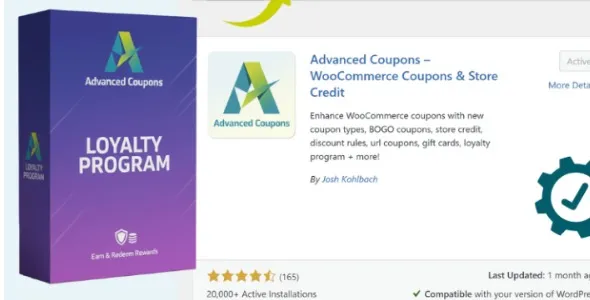
Loyalty Program for WooCommerce

Loyalty Program for WooCommerce

  Unlimited Access:

Original price was: $10.00.Current price is: $2.99.

Or

Tired of Restrictions?
Go Unlimited!

Join Our Membership to Download 8400+ Plugins & Themes

Membership Banner image for ultraplugins store

WooCommerce Loyalty Program – GPL License Overview and Practical Usage Guide

A Loyalty Program for WooCommerce is designed to help store owners reward repeat customers through structured point systems, discounts, tiered rewards, or purchase incentives. Built to operate within WooCommerce and WordPress core architecture, loyalty extensions typically follow the same GPL framework that governs WordPress itself.

Understanding how GPL licensing applies to WooCommerce extensions is essential for store owners, developers, and agencies who manage multiple ecommerce projects and need long-term operational stability rather than short-term acquisition.
How the GPL License Applies to WooCommerce Loyalty Extensions

WordPress is licensed under the GNU General Public License (GPL). Because WooCommerce extensions rely on WordPress and WooCommerce core PHP structures, most are distributed under GPL or a GPL-compatible license.

This means:

  • The code can be reviewed and modified.
  • The extension can be installed on multiple WordPress sites.
  • Developers can adapt the logic to fit custom workflows.

GPL licensing ensures user freedom and code transparency. It does not eliminate the commercial value of the plugin. Many developers monetize through support services, update delivery, SaaS integrations, or managed distribution while keeping the underlying code GPL-compliant.

The license protects the user’s ability to control their software environment — which is particularly important for ecommerce systems handling payments, customer data, and marketing automation.

What Changes After Installing a Loyalty Program Plugin

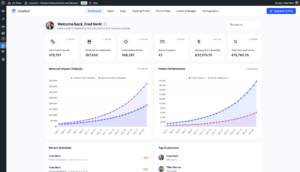
After activation, a loyalty extension typically introduces a reward logic layer inside WooCommerce. Depending on the implementation, it may add:

  • Points accumulation rules (per purchase, per product, or per order total)
  • Reward redemption options at checkout
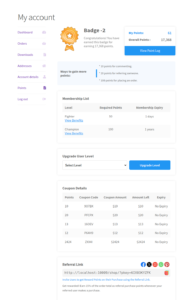
  • Customer reward dashboards inside “My Account”
  • Tier-based membership levels
  • Referral tracking systems

These changes integrate into WooCommerce’s order lifecycle. Points may be awarded when an order reaches “completed” status, or revoked when refunded. Most well-built loyalty extensions rely on standard WooCommerce hooks rather than altering core files, which preserves compatibility with themes and page builders.

In real-world store deployments, loyalty programs are commonly used for:

  • Increasing repeat purchases
  • Encouraging higher cart values
  • Rewarding long-term customers
  • Promoting seasonal campaigns
  • Incentivizing referrals

Because they operate within WooCommerce’s ecosystem, performance impact depends largely on hosting environment, database optimization, and how frequently reward calculations run.
Performance and Compatibility Considerations

Loyalty plugins often store transactional data such as:

  • Points history logs
  • Tier progression
  • Referral tracking records

On high-volume stores, this data can grow quickly. Store owners should ensure:

  • Reliable hosting with optimized databases
  • Regular backups
  • Compatibility testing with payment gateways
  • Staging environment testing before major WooCommerce updates

Compatibility is especially important when using:

  • Subscription extensions
  • Multi-currency systems
  • Membership plugins
  • Custom checkout modifications

A well-maintained loyalty extension will release updates addressing:

  • WooCommerce version compatibility
  • WordPress core updates
  • Security hardening
  • Performance improvements
  • Integration adjustments

GPL licensing allows redistribution, but update reliability depends on the distribution source and maintenance practices.

Responsible Use Across Multiple Projects

For agencies and developers managing several WooCommerce stores, GPL licensing provides flexibility. A loyalty system can be tested in staging environments, customized for client-specific reward models, and reused across projects without restrictive per-site activation controls.

However, responsible implementation includes:

  • Testing reward calculations before launch
  • Verifying tax and discount interactions
  • Monitoring checkout performance
  • Ensuring compliance with regional consumer laws
  • Avoiding direct modification of plugin core files

Customizations should be implemented via child themes, custom plugins, or documented hook overrides to maintain upgradability.

Version & Changelog Evaluation (Example Structure)

When evaluating a specific version of a loyalty extension, users should verify:

  • Declared compatibility with current WordPress version
  • WooCommerce compatibility range
  • Supported PHP versions
  • Clear documentation of bug fixes
  • Security patch transparency

A properly documented release might include:

  • Improved checkout reward validation
  • Fixed points calculation rounding errors
  • Enhanced compatibility with WooCommerce HPOS
  • Resolved conflicts with third-party coupon systems

Version transparency is an important EEAT signal for both users and search engines.

Long-Term Sustainability Considerations

A loyalty program is not just a marketing feature — it becomes part of the store’s financial logic. Improper configuration can impact revenue calculations, discount stacking, and reporting accuracy.

Before deploying at scale, store owners should:

  • Define a clear reward-to-revenue ratio
  • Calculate projected redemption rates
  • Monitor breakage (unused rewards)
  • Test refund scenarios

GPL provides the legal flexibility to modify and adapt the system, but operational responsibility remains with the store owner or development team.

Final Notes

A Loyalty Program for WooCommerce demonstrates how GPL-licensed extensions can support advanced ecommerce strategies while preserving transparency and adaptability. The value lies not merely in installation, but in correct implementation, update management, and long-term compatibility planning.

Within the WordPress ecosystem, GPL should be viewed as a structural advantage — enabling customization, scalability, and control — rather than as a pricing shortcut.

For serious ecommerce operations, understanding licensing, deployment practices, and update discipline is more important than focusing solely on acquisition.


For Installation or Technical Related Queries check FAQ Page

Our Website also have older version of the plugins and theme. So you can test your website with compatible plugins or Rollback plugins in case of any bug or compatibility issues.

UNZIP the file downloaded from our website, the zip file might contain other files like Template, Docs etc. So make sure you upload correct file.

To Install Plugins:

  • Download the latest .ZIP file from UltraPlugins Store.
  • Log into your WordPress site.
  • Go to Plugins > Add New.
  • Click the “Upload Plugin” button at the top of the page.
  • Select the zip file with the new plugin version to install.
  • Click the “Install Now” button.


To Install Themes:

  • Download the latest .ZIP file from UltraPlugins Store.
  • Some Theme needs to be extracted before installing & some don’t. So extract the theme, main theme and child should be inside.
  • Log into your WordPress site.
  • Go to Appearance > Themes.
  • Click the “Add New” button at the top of the page.
  • Click the “Upload Theme” button at the top of the page.
  • Select the zip file with the new theme version to install.
  • Click the “Install Now” button.


Sometimes theme/plugin might ask you for license, just ignore. Because we have already activated the product with out legal key, which we have purchased for you.

When a New version appears and is available on our website you’ll find it in My Account “Downloads section”.

For Destination Already Exists error:

Make sure to Delete the version of theme/plugin that you have on your website before you upload our premium version, it might cause a conflict during installation and activation.

Or WordPress will say “destination already exists” when trying to upgrade using a zip file and will fail to upgrade the theme or plugin.

If you faced “destination already exists” error installing this Plugin will solve the issue – Easy Theme and Plugin Upgrades.

Our business hours are Monday to Saturday from 10:00 am to 8:00 pm, any request made outside these hours will be answered until next business day. Support and Updates can take 24 to 48 hours. Support provided is for product installation. Please be aware of possible time zone differences when waiting for our reply.

If you have any Queries, Feel Free to Contact Us: 


Abuse Warning:

  • Please note that accounts are monitored and redistribution of our content is not allowed and will not be tolerated.
  • Our system may detect patterns of downloading items from non-end users outside of our fair use policy.
  • Any violation of our terms of use will result in permanent account suspension and no refunds will be issued.
  • Subscriptions can be cancelled at any time from your account control panel.
  • Downloads are strictly subject to our fair use policy.


For more information please read FAQs & Terms of Use.

Related Products

Ver: 1.0.5

Ver: 2.2.1

Select your currency