Get upto 60% Discount

Get upto 60% Discount
Unlimited Access:
$10.00 Original price was: $10.00.$2.99Current price is: $2.99.
Available Download Files

Tired of Restrictions?
Go Unlimited!
Join Our Membership to Download 8400+ Plugins & Themes

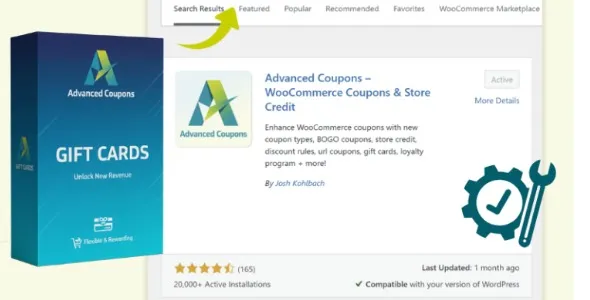
Advanced Gift Cards for WooCommerce is built for store owners who want more than a basic coupon system. Digital and physical gift cards are proven revenue drivers. They encourage prepaid purchases, attract new customers, and increase average order value when redeemed.
When users search for Advanced Gift Cards for WooCommerce download, the intent is usually commercial. They want a structured solution that integrates directly into their WooCommerce store without complex custom coding. This plugin focuses on flexibility, controlled balance management, and a smooth checkout experience.
Gift cards are not just promotional tools. They function as stored value assets that can improve cash flow while strengthening customer loyalty.
Standard discount coupons reduce profit margins. Gift cards, on the other hand, generate immediate revenue while often leading to higher spending during redemption. Customers frequently exceed the card value when making purchases.
Advanced Gift Cards for WooCommerce allows store owners to create customizable gift card products with flexible denominations. You can configure fixed values or allow customers to enter custom amounts. The plugin integrates directly with WooCommerce product pages and checkout systems, making the purchasing process seamless.
Email delivery functionality enables digital gift cards to be sent instantly to recipients. This makes it especially valuable during seasonal promotions, holidays, and special events.
The plugin integrates natively with WooCommerce, meaning gift cards behave like structured store credit rather than simple coupon codes. Customers can apply balances during checkout, and remaining balances are tracked accurately.
For store owners managing both physical and digital goods, compatibility with WooCommerce ensures that gift card purchases align with existing tax, payment, and order systems. The extension works alongside common payment gateways and does not disrupt normal store operations.
Because WooCommerce stores vary in scale, from small boutiques to large online retailers, performance stability is essential. Proper configuration ensures that balance calculations remain accurate and secure.
If you are planning to deploy Advanced Gift Cards for WooCommerce, ensure that the plugin file you obtain is complete and compatible with your current WooCommerce and WordPress versions. Version mismatches can lead to checkout conflicts or balance calculation errors.
Always verify that your store environment uses updated WordPress core, WooCommerce versions, and secure hosting infrastructure. Since gift cards represent monetary value, maintaining secure installation practices is critical.
Step 1: Download the plugin ZIP file from a trusted source.
Step 2: Log in to your WordPress dashboard.
Step 3: Navigate to Plugins and click Add New.
Step 4: Select Upload Plugin and upload the ZIP file.
Step 5: Click Install Now and then Activate the plugin.
Step 6: Go to WooCommerce settings to configure gift card options, including denominations and email templates.
Step 7: Test the purchase and redemption process to confirm correct balance tracking.
After installation, customize product appearance, email messages, and redemption rules to align with your brand identity.
Gift cards are a strategic growth tool. They introduce new customers who may not have previously engaged with your brand. Once redeemed, those customers often return for additional purchases.
From an SEO perspective, creating dedicated landing pages for gift card promotions can attract seasonal traffic. Structured product pages optimized for “gift card” search terms can improve visibility during peak shopping periods.
Because Advanced Gift Cards for WooCommerce integrates directly into your product ecosystem, it allows you to maintain a consistent checkout experience without external systems.
This plugin is suitable for online retailers, subscription-based businesses, fashion stores, digital product sellers, and service-based WooCommerce stores that want to offer prepaid credit options.
It is particularly effective for businesses running holiday campaigns, loyalty programs, or referral incentives.
Yes. Store owners can configure fixed denominations or allow customers to enter custom values.
Yes. Digital gift cards can be delivered via email to recipients with unique codes.
Yes. Remaining balances can typically be stored and applied to future purchases.
Yes. It integrates with standard WooCommerce checkout and payment systems.
When installed on updated WordPress and WooCommerce environments, it functions smoothly alongside standard extensions.
Yes. Gift cards can generally be applied to eligible products across your WooCommerce store.
For Installation or Technical Related Queries check FAQ Page
Our Website also have older version of the plugins and theme. So you can test your website with compatible plugins or Rollback plugins in case of any bug or compatibility issues.
UNZIP the file downloaded from our website, the zip file might contain other files like Template, Docs etc. So make sure you upload correct file.
To Install Plugins:
To Install Themes:
Sometimes theme/plugin might ask you for license, just ignore. Because we have already activated the product with out legal key, which we have purchased for you.
When a New version appears and is available on our website you’ll find it in My Account “Downloads section”.
For Destination Already Exists error:
Make sure to Delete the version of theme/plugin that you have on your website before you upload our premium version, it might cause a conflict during installation and activation.
Or WordPress will say “destination already exists” when trying to upgrade using a zip file and will fail to upgrade the theme or plugin.
If you faced “destination already exists” error installing this Plugin will solve the issue – Easy Theme and Plugin Upgrades.
Our business hours are Monday to Saturday from 10:00 am to 8:00 pm, any request made outside these hours will be answered until next business day. Support and Updates can take 24 to 48 hours. Support provided is for product installation. Please be aware of possible time zone differences when waiting for our reply.
If you have any Queries, Feel Free to Contact Us:
Abuse Warning:
For more information please read FAQs & Terms of Use.