Get upto 60% Discount



Most WooCommerce stores do not fail because of traffic. They fail because of the friction that compounds quietly over time.
A store launches with a default checkout. It works fine for the first few orders. Then product variations grow, coupons pile up, order bumps are added through third-party plugins, and payment gateways stack conditional logic on top of each other. Suddenly, the checkout page becomes the slowest, most fragile part of the site.
Edits feel risky. A small layout change breaks validation. One plugin update conflicts with another. Conversion rate drops, but the root cause is hard to isolate because the checkout is no longer a single system.
This is the context where WooFunnels Aero Checkout usually enters the conversation.
WooCommerce was designed to be extensible, not opinionated. The default checkout template is intentionally generic so it can support physical products, digital goods, subscriptions, and complex tax setups.
That flexibility becomes a problem when stores try to optimize.
Common issues appear as soon as growth begins:
Most “checkout customization” plugins work by layering changes on top of the existing WooCommerce checkout. They modify fields, inject scripts, or hide elements conditionally. Over time, the checkout becomes brittle because no single plugin controls the full flow.
This is not a UI problem. It is a system problem.
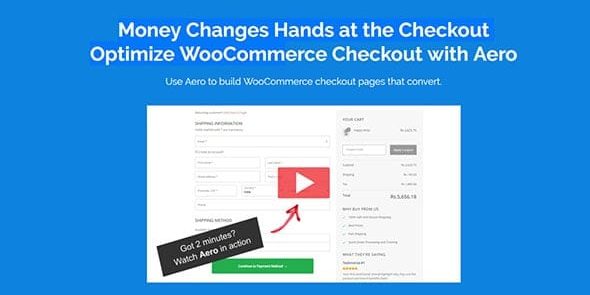
WooFunnels Aero Checkout does not try to optimize the default checkout. It replaces the checkout experience with a structured, page-builder-driven system that still respects WooCommerce’s order engine underneath.
Instead of filtering the checkout form, it:
This architectural shift matters because it removes the constant tension between themes, add-ons, and checkout logic. The checkout becomes something you design intentionally, not something you patch.
By the time most store owners look for a WooFunnels Aero Checkout download, they are already dealing with these structural limitations and want to regain control without rewriting WooCommerce itself.

The difference becomes clearer as catalog size, traffic, and marketing complexity increase.
With Aero Checkout in place:
This matters most for stores running:
Instead of asking “Will this plugin conflict with checkout?”, the question becomes “Does this belong in the checkout flow at all?”
That shift alone reduces technical debt.
Aero Checkout is powerful, but it is not automatic.
Most mistakes come from treating it like a cosmetic tool rather than a workflow system.
Common friction points include:
Stores that struggle usually skip the planning step. They redesign the checkout visually without first understanding what data WooCommerce actually requires to complete an order.
Used carefully, Aero Checkout simplifies checkout. Used impulsively, it can still create confusion, just with better design.
In practice, Aero Checkout is most often used for:
It is less commonly used and often unnecessary for:
Understanding this distinction prevents over-engineering.
Aero Checkout makes sense if checkout performance is already a constraint.
It is a strong fit when:
It may not be the right choice if:
This is not a plugin to “install and forget.” It is a tool to own the checkout layer properly.
Installing Aero Checkout is straightforward, but order matters.
A safe approach usually looks like this:
Avoid disabling the default checkout until the new flow is fully tested. WooCommerce should always have a fallback path during setup.
1) Does it replace WooCommerce checkout entirely?
No. It replaces the front-end checkout experience while still using WooCommerce’s order processing and payment logic.
2) Will it slow down my site?
When configured carefully, it often improves performance by removing layered checkout scripts.
3) Can I use it with page builders?
Yes. Aero Checkout is designed to work with visual builders while keeping checkout logic centralized.
4) Is it compatible with subscriptions and gateways?
Generally yes, but complex gateway logic should always be tested in staging first.
If checkout complexity is already costing you time, stability, or conversions, WooFunnels Aero Checkout is worth evaluating carefully.
Approached as a system, not a design tweak. It can simplify one of the most fragile parts of a WooCommerce store. For teams ready to take ownership of their checkout flow, the next logical step is to review the official WooFunnels Aero Checkout download and documentation and test it in a controlled environment before rolling it out live.
Even if you decide not to use it, understanding how checkout architecture affects performance will improve how you build WooCommerce stores going forward.