Get upto 60% Discount

Get upto 60% Discount
Unlimited Access:
$10.00 Original price was: $10.00.$2.99Current price is: $2.99.
Available Download Files

Tired of Restrictions?
Go Unlimited!
Join Our Membership to Download 8400+ Plugins & Themes

A common breaking point for Canadian stores is the moment shipping stops being “flat rate plus hope” and starts being a pricing promise. Customers expect the rate at checkout to match what Canada Post will charge, and they notice when it does not. Store owners notice too, usually after eating the difference on a few heavy parcels or remote postal codes.
WooCommerce’s native shipping methods are fine for simple scenarios, but they are not built to calculate live Canada Post services, handle package logic, or reflect destination-specific pricing without constant manual maintenance. That gap becomes expensive as order volume rises or the catalog gets more varied.
WooCommerce Canada Post Shipping Method is designed for that real-world gap. It connects your checkout to Canada Post rate logic so the customer sees service options and prices that align with the shipment you are about to create.
Most shipping problems are not “shipping problems.” They are checkout trust problems. When rates feel arbitrary, customers abandon carts or choose the cheapest option and then complain when delivery takes longer than expected.
With WooCommerce Canada Post Shipping Method, the checkout experience becomes service-based instead of guess-based. Customers can select from Canada Post services that apply to their address and cart contents, and you can control which services you offer.
In practice, the plugin’s value shows up in small moments: fewer support tickets about shipping costs, fewer manual adjustments, and fewer orders held for “we need to invoice you more for shipping.”
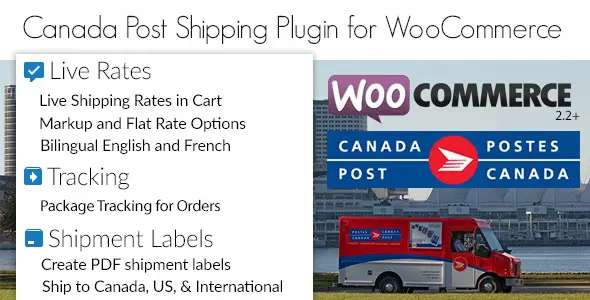
Live Canada Post rates. Rates are calculated dynamically based on destination and shipment details, instead of relying on broad shipping zones and flat numbers that never match rural addresses.
Service selection control. You can choose which Canada Post services to present, which helps you avoid offering options you cannot operationally meet. Many stores hide premium services for low-margin items, or hide slower services during peak season to reduce “where is my order” emails.
Handling and adjustment options. Real shipping rarely equals the carrier rate. Packaging materials, fulfillment time, and insurance preferences differ by store. The ability to add handling logic is often the difference between “rates are accurate” and “rates are sustainable.”
Package calculation behavior. The most common implementation mistake is treating every cart as a single package. If your products vary in size and weight, the plugin is most effective when you align product weights and dimensions with how you actually pack orders.
When live rates look wrong, it is tempting to blame the carrier API. More often, the issue is product data. Missing weights, default dimensions, or inconsistent units can cause rates that are too low, too high, or missing entirely.
A practical workflow that avoids headaches is to audit your top 20 products by volume first. Make sure weights are realistic, dimensions are not left as zeros, and variations inherit correct values. Then test three destinations: local urban, another province, and a remote postal code.
Another common friction point is oversized items. If a product exceeds typical parcel limits, you may need to exclude it from live services and route it to a manual quote method. Live rates are powerful, but they are not a substitute for operational rules.
Stores selling a mix of accessories and heavier goods often struggle with fair shipping. Flat rates overcharge small orders and undercharge heavy ones. WooCommerce Canada Post Shipping Method helps the rate reflect the actual cart so smaller orders convert and larger orders stay profitable.
Some customers will pay for faster delivery, but only if it is presented clearly. By offering selected Canada Post services, you can provide expedited options where they make sense while keeping your default fulfillment workflow stable.
During holidays or promotional spikes, shipping questions multiply. Accurate rates and clear service choices reduce confusion. This is one of those “performance” wins that is not about server speed. It is about reducing human bottlenecks.
Zone-based shipping often fails in Canada because postal code reality is nuanced. Live rates help prevent the surprise of a remote surcharge that was never represented at checkout.
Native WooCommerce methods are straightforward: flat rate, free shipping, local pickup, and table-like setups via shipping classes. They work well when your shipping cost is predictable and your catalog is consistent.
The limitation is that native methods do not understand Canada Post services, do not calculate destination-driven pricing, and require you to maintain numbers that change as carrier rates change. If you ship across provinces, the maintenance burden grows quickly.
Carrier-based rate calculation with WooCommerce Canada Post Shipping Method is better suited to variable carts and national shipping. It reduces guesswork, keeps checkout aligned with real shipping costs, and scales more cleanly when you add products.
If your store ships only locally or you intentionally subsidize shipping as part of pricing, native methods may still be enough. If your margins are tight or your products vary, carrier-based rates usually pay for themselves in fewer corrections and fewer abandoned carts.
Fewer manual shipping adjustments. When the checkout rate is closer to the true Canada Post cost, you spend less time editing orders, issuing partial refunds, or sending payment requests.
Better conversion through clarity. Customers respond well to recognizable services and transparent options. Even when the price is higher, the logic feels fair.
More predictable fulfillment. When customers select the service that matches their expectations, you can prioritize shipments appropriately and reduce “I paid for fast shipping” misunderstandings.
Cleaner scaling. As you add SKUs, the shipping system does not require a parallel spreadsheet of exceptions. The work shifts toward maintaining product weights and packaging rules, which is more stable over time.
If you are looking for WooCommerce Canada Post Shipping Method download resources, treat the process like any other mission-critical WooCommerce extension. Start with a clean baseline and test in a staging environment if you can.
1) Backup first. A full site backup, plus a database backup, prevents small configuration mistakes from becoming long outages.
2) Install the plugin. Upload the plugin ZIP through the WordPress admin area, or install it via your preferred deployment workflow. Activate it, then confirm it appears under WooCommerce shipping settings.
3) Configure Canada Post credentials and origin settings. Your store address, origin postal code, and packaging assumptions influence rate results. Double-check units for weight and dimensions.
4) Test with controlled carts. Create a test product with a known weight and dimensions. Run checkout tests for multiple postal codes and compare the results to expected Canada Post pricing behavior.
5) Roll out gradually. Many stores keep a fallback flat rate method enabled but hidden behind conditions, then remove it after a week of clean orders.
This is often caused by missing product weights, invalid dimensions, or an address format issue. Start by testing with a single product that has complete data, then confirm the customer’s postal code and country settings match your shipping zones.
Weights are usually the minimum requirement for meaningful rates. Dimensions become important when parcel size affects service availability or pricing. If you cannot maintain dimensions for every SKU, prioritize bestsellers and anything bulky, then use sensible defaults for the rest.
Most stores curate the list of services they offer. Remove premium services you do not want to operationally support, and consider offering a single expedited option plus a standard option to keep choice simple.
Yes, but keep it consistent and explain it internally as packaging and fulfillment cost recovery. A small, stable adjustment is usually better than raising product prices unevenly or absorbing shipping volatility.
Assuming the plugin can fix messy catalog data. Live rates rely on accurate weights and realistic packaging assumptions. If rates look “random,” audit product data and confirm your store units are correct before changing settings.
It can be, especially if orders vary in size or you ship outside your province. If your catalog is uniform and you ship locally, a simple flat rate might be easier. The plugin makes the most sense when accuracy and scalability matter more than minimal configuration.
This plugin fits stores that want checkout rates to reflect real Canada Post services, not approximations. It is particularly useful for multi-province shipping, mixed carts, and catalogs where shipping cost materially affects margin.
If you are evaluating a WooCommerce Canada Post Shipping Method download because your current setup is creating refunds, cart abandonment, or constant manual edits, that is usually the signal. The better your product data and packing rules, the more reliable the results will be.
For Installation or Technical Related Queries check FAQ Page
Our Website also have older version of the plugins and theme. So you can test your website with compatible plugins or Rollback plugins in case of any bug or compatibility issues.
UNZIP the file downloaded from our website, the zip file might contain other files like Template, Docs etc. So make sure you upload correct file.
To Install Plugins:
To Install Themes:
Sometimes theme/plugin might ask you for license, just ignore. Because we have already activated the product with out legal key, which we have purchased for you.
When a New version appears and is available on our website you’ll find it in My Account “Downloads section”.
For Destination Already Exists error:
Make sure to Delete the version of theme/plugin that you have on your website before you upload our premium version, it might cause a conflict during installation and activation.
Or WordPress will say “destination already exists” when trying to upgrade using a zip file and will fail to upgrade the theme or plugin.
If you faced “destination already exists” error installing this Plugin will solve the issue – Easy Theme and Plugin Upgrades.
Our business hours are Monday to Saturday from 10:00 am to 8:00 pm, any request made outside these hours will be answered until next business day. Support and Updates can take 24 to 48 hours. Support provided is for product installation. Please be aware of possible time zone differences when waiting for our reply.
If you have any Queries, Feel Free to Contact Us:
Abuse Warning:
For more information please read FAQs & Terms of Use.
All directory items are created by third-party developers and distributed by ULTRA PLUGINS under the General Public License (GPL). ULTRA PLUGINS is not affiliated with, nor does it endorse, any product featured on this site.