Get upto 60% Discount

Get upto 60% Discount
Unlimited Access:
$3.59 Original price was: $3.59.$2.99Current price is: $2.99.
Available Download Files

Tired of Restrictions?
Go Unlimited!
Join Our Membership to Download 8400+ Plugins & Themes

Most WordPress sites reach a point where documentation becomes a bottleneck. You add a few help articles, then a setup guide, then release notes. Soon, customers cannot find answers, support tickets rise, and your team keeps pasting the same replies.
Default solutions often fail for two reasons. First, WordPress pages and posts are not structured for documentation workflows, so navigation and versioning become messy. Second, many “quick docs” setups create thin, duplicated pages that look similar to each other, which can dilute search intent and make indexing unpredictable.
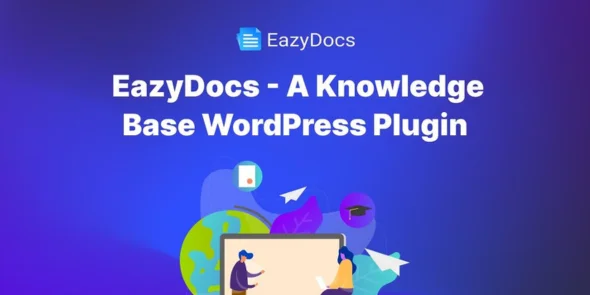
EazyDocs Pro is built to turn documentation into a structured, searchable knowledge base that scales. It focuses on organizing content in a way that users can browse quickly and search engines can understand without guessing.
Documentation works best when it has predictable architecture. EazyDocs Pro helps you build that architecture with doc-focused organization instead of forcing everything into generic pages.
When you create a new doc set, you can arrange articles into logical hierarchies that mirror how people ask questions. This matters because users rarely land on your “Docs” hub first. They arrive from a specific query, then need clear paths to related answers.
Instead of relying on a single long article that becomes hard to maintain, EazyDocs Pro supports a modular approach. You can break topics into focused pages that target distinct intent, such as installation, configuration, troubleshooting, and integrations. That separation reduces overlap and helps avoid duplicate-intent pages that compete with each other.
Blog navigation is chronological. Documentation navigation is task-based. EazyDocs Pro is designed around that difference.
Readers can move through categories and nested sections without needing to jump back to a menu. Internal linking becomes natural because each doc page has clear neighbors, parent topics, and related entries. This improves user flow and also strengthens crawl paths so important docs are discovered and revisited more consistently.
Many documentation plugins describe features as checkboxes. What matters is how those features reduce work and improve outcomes in day-to-day publishing.
Documentation is only useful when it can be found. EazyDocs Pro emphasizes search and discovery so visitors can jump to the right answer without scanning an entire category.
This is especially helpful for support-heavy sites where users search for error messages, setup steps, or “how to” tasks. A strong search experience reduces pogo-sticking and increases the chance that a visitor resolves the issue on the first session.
Docs should be readable on mobile, scannable on desktop, and consistent across articles. EazyDocs Pro provides doc-oriented templates that keep headings, tables, and callouts aligned. That consistency makes it easier to maintain content quality when multiple authors contribute.
When your docs look like a product manual instead of a blog post, users spend less time figuring out where the key steps are. They can move from overview to action quickly.
Support teams often want a “Start Here” page for new users, plus separate hubs for advanced topics. EazyDocs Pro makes it easier to create these entry points without duplicating content.
You can design a doc hub that highlights the most important guides, then route readers to deeper pages. This reduces the temptation to write multiple near-identical overview pages that target the same intent.
If you ship updates frequently, your documentation needs to stay organized even as new features arrive. EazyDocs Pro helps you keep “Getting Started” stable while adding new sections for fresh releases. Users can find the newest changes without disrupting the core onboarding path.
Agencies and content teams often store SOPs in scattered docs or private pages. With EazyDocs Pro, you can centralize internal processes into a structured library. New hires can follow step-by-step procedures instead of asking for links in chat.
A help center succeeds when it answers questions before a user clicks “Contact support.” Clear categories, predictable article structure, and fast discovery reduce repetitive tickets. Over time, your support team can focus on edge cases instead of basic setup questions.
Using standard pages for documentation can work for a small site, but it becomes fragile as you add content. Navigation is often manual, related links are inconsistent, and older pages drift out of the user journey.
A generic knowledge base plugin can add a layout, but many setups still encourage broad, overlapping articles that target the same keyword themes. That creates duplicate-intent clusters where multiple pages answer the same question in slightly different ways.
EazyDocs Pro is better suited when you want documentation to behave like a mapped system. It encourages clear hierarchies, focused topics, and structured browsing. That combination helps users and reduces the chances of your docs becoming a pile of similar pages.
Performance is not just load time. It is also how quickly a visitor reaches the right answer and what happens next.
EazyDocs Pro improves outcomes by shortening the path from entry page to solution. Better navigation and search reduce bounce rates caused by confusion. Cleaner layouts make it easier to skim and follow steps, which reduces mistakes during setup.
From a site maintenance perspective, a structured docs system lowers editing overhead. You can update one focused page instead of rewriting a long guide that tries to cover everything. That reduces content decay and keeps your documentation accurate.
If you are looking for the EazyDocs Pro download, the safest approach is to install it the same way you would any WordPress plugin. Avoid quick fixes that skip basic checks.
1) Download the EazyDocs Pro ZIP file to your computer.
2) In WordPress, go to Plugins, then Add New, then Upload Plugin.
3) Upload the ZIP file, click Install Now, and then Activate.
4) Open the plugin settings and create your first documentation hub or doc set.
5) Add a small starter structure first. Publish a “Getting Started” section and one troubleshooting article before importing or writing everything.
After installation, test the docs on mobile and desktop. Click through category pages, search for a common term, and confirm that links work as expected. If you use caching, clear the cache so new templates and navigation display correctly.
Yes in most cases. A common approach is to keep existing content, then reorganize it into a docs hierarchy. Start by mapping categories and removing duplicate overview pages so each article has a clear purpose.
It can. Many teams publish a public help center while keeping internal SOPs separate. The key is to plan structure early so internal articles do not overlap with public support topics.
Write one primary page per task. For example, keep “Installation” separate from “Troubleshooting install errors.” Use the troubleshooting page for error-specific queries and link back to the main installation guide instead of repeating the same steps.
Yes. It is well suited to iterative updates because you can edit focused pages without rewriting entire guides. Release notes, feature changes, and integration updates can live in their own sections.
Start with the top 10 support questions you already receive. Turn each into a short doc page with a clear title, a quick answer, and step-by-step instructions. Then add a hub page that routes users to those answers.
A practical structure is: Getting Started, Core Features, Integrations, Billing or Account, and Troubleshooting. Within each, keep articles short and link to related pages instead of merging everything into one long guide.
EazyDocs Pro is a strong fit when documentation is part of your product experience, not an afterthought. If you are publishing more than a handful of articles, supporting users across multiple features, or trying to reduce repetitive support requests, a dedicated docs structure becomes worth it.
It is also a good choice when you care about search visibility for specific help queries. Clear hierarchies, focused pages, and consistent internal linking make it easier to build a documentation library that users trust and search engines can index confidently.
For Installation or Technical Related Queries check FAQ Page
Our Website also have older version of the plugins and theme. So you can test your website with compatible plugins or Rollback plugins in case of any bug or compatibility issues.
UNZIP the file downloaded from our website, the zip file might contain other files like Template, Docs etc. So make sure you upload correct file.
To Install Plugins:
To Install Themes:
Sometimes theme/plugin might ask you for license, just ignore. Because we have already activated the product with out legal key, which we have purchased for you.
When a New version appears and is available on our website you’ll find it in My Account “Downloads section”.
For Destination Already Exists error:
Make sure to Delete the version of theme/plugin that you have on your website before you upload our premium version, it might cause a conflict during installation and activation.
Or WordPress will say “destination already exists” when trying to upgrade using a zip file and will fail to upgrade the theme or plugin.
If you faced “destination already exists” error installing this Plugin will solve the issue – Easy Theme and Plugin Upgrades.
Our business hours are Monday to Saturday from 10:00 am to 8:00 pm, any request made outside these hours will be answered until next business day. Support and Updates can take 24 to 48 hours. Support provided is for product installation. Please be aware of possible time zone differences when waiting for our reply.
If you have any Queries, Feel Free to Contact Us:
Abuse Warning:
For more information please read FAQs & Terms of Use.